/Avatar-MainMark-FullColor-400px.png)



Article Summary: Don't just compare features. Compare the handoffs.
The best driver recruiting and compliance software is intentionally designed to integrate driver recruiting, onboarding, and compliance into a single workflow. Why does this matter? It reduces manual handoffs, duplicate data entry, and delays between application and driver readiness.
A driver applies. Recruiting follows up. Screening starts. Paperwork comes in. Safety needs to review it. Someone updates a record. Someone else checks whether the driver is actually ready to go.
If those steps happen in different systems, your software isn't saving your team much time.
When comparing driver recruiting and compliance software, don't just compare feature lists. Look for a platform that keeps information flowing across recruiting, driver onboarding, and compliance management without requiring your team to move it manually.
The question to ask isn't, "Which system has the most features?"
It's: "How much work does this system eliminate between candidate and always ready-to-drive?"
.gif?width=766&height=474&name=Automate%20Your%20Recruitment%20Process%20With%20Triggers%20(Bus).gif)
Start With the Driver. Then Follow the Paperwork.
A driver applies. Now what?
That's the question we'd use to evaluate any driver recruiting platform.
Can your recruiter quickly see who's worth pursuing? Can the driver complete the next step without a phone call? Does screening happen within the workflow? Does information follow the driver into onboarding and compliance?
Or does the process look more like this?
Driver applies
↓
Recruiting follows up
↓
Screening starts
↓
Paperwork gets sent
↓
Safety reviews
↓
Someone updates a system
↓
Someone checks another system
↓
Driver is hopefully ready
Too many handoffs equals too many opportunities for delays, duplicate work, and mistakes.
Your recruiters need to move quickly because good drivers aren't waiting around for your company to get organized. Safety teams need accurate, accessible records because compliance doesn't wait either.
The software sitting between your two teams should make their jobs easier, not create another place to manage.
What Should You Look For?
You don't need a 47-point feature checklist. Start with five questions that connect recruiting to compliance.
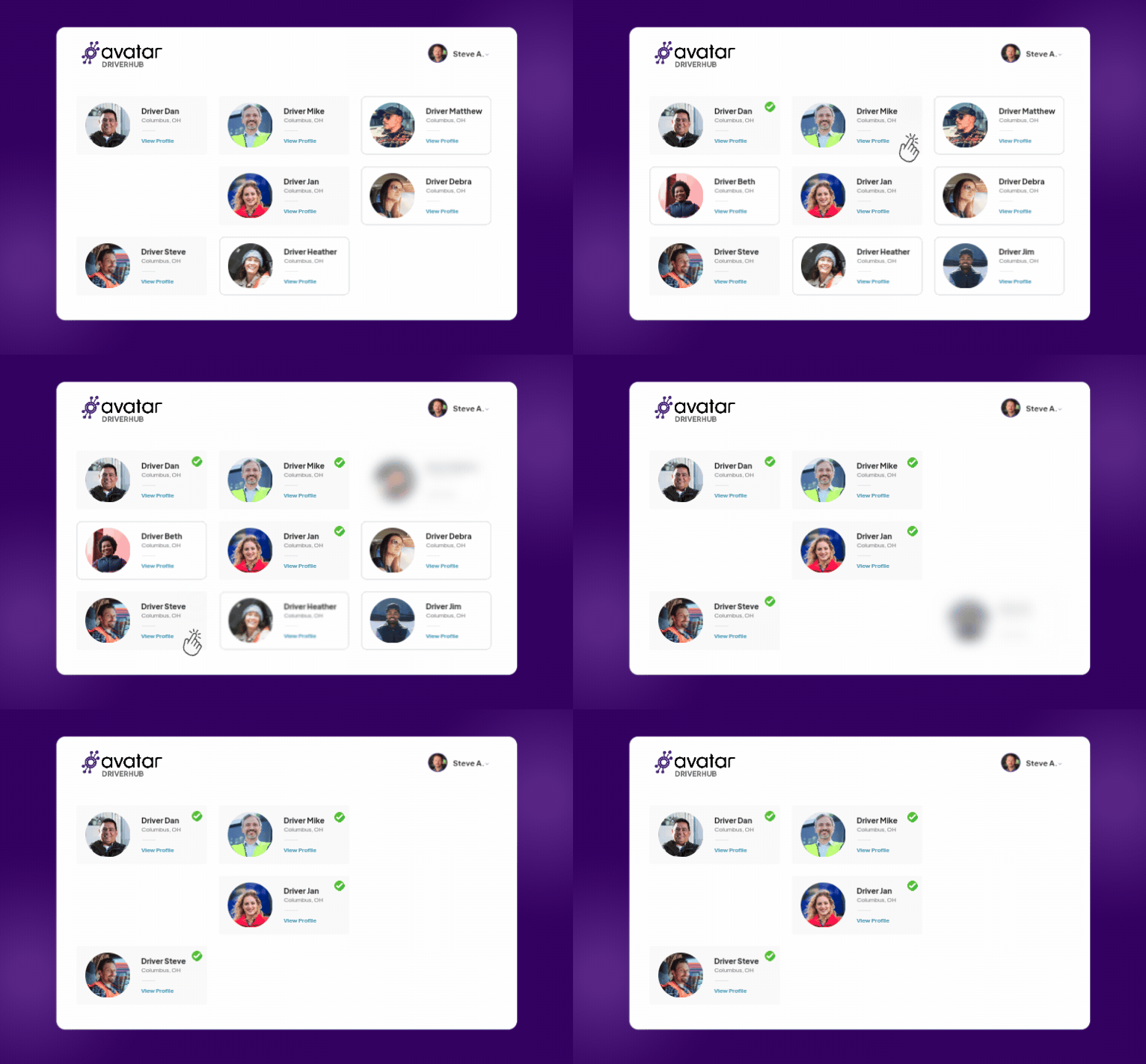
1. Can recruiters work with the right candidates?
Driver recruiting software should do more than collect applications.
Your recruiters should be able to quickly see where candidates are in the hiring process, prioritize their daily work, communicate with candidates, and identify where applicants are getting stuck.
Good reporting matters, too. Where are your best candidates coming from? How long are they sitting in each stage? Where are you losing them?
Those answers tell you much more than your total application count.
2. Does compliance start during recruiting?
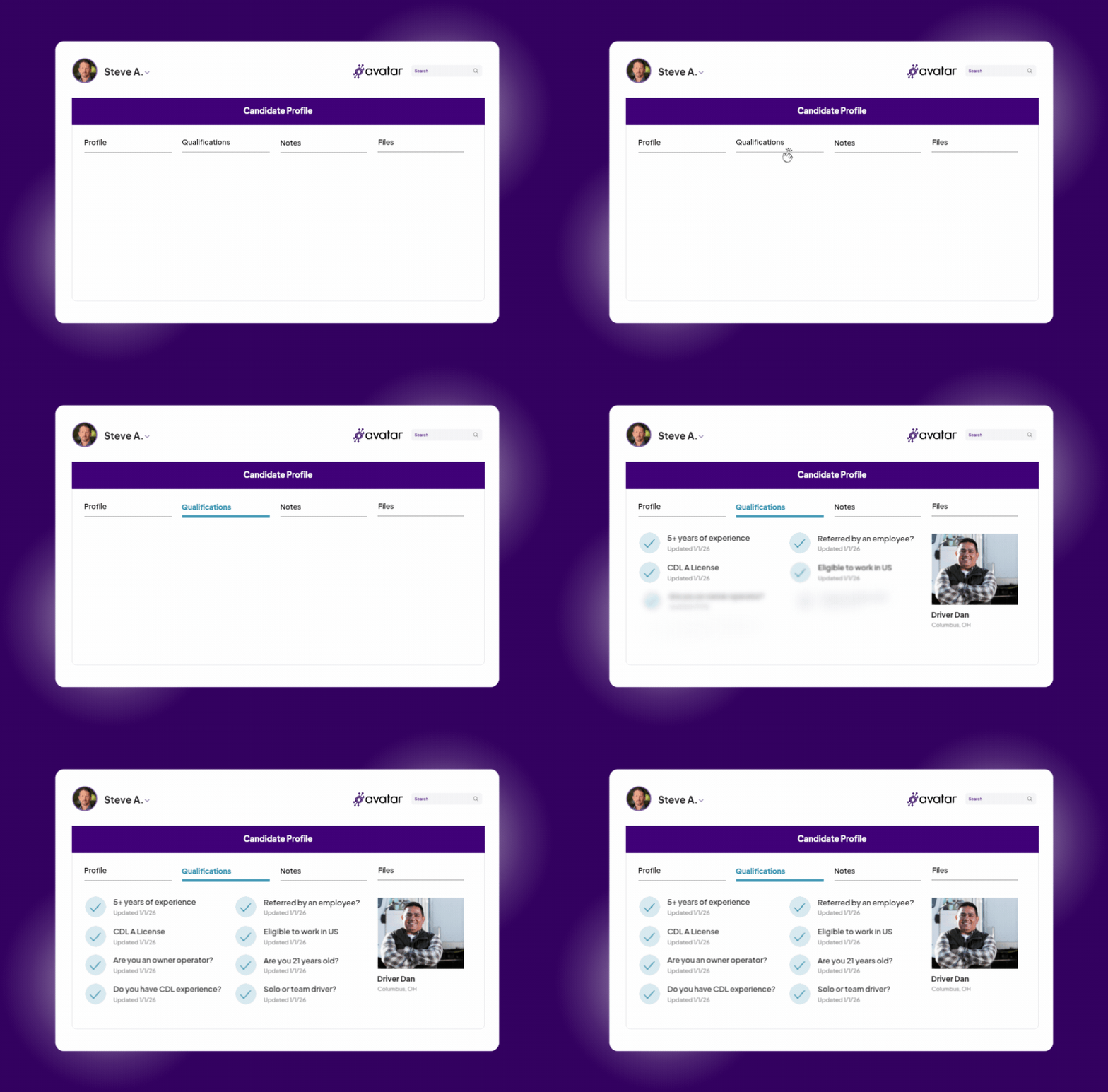
A commercial driver doesn't simply go from applicant to employee. Qualification and compliance requirements are part of the hiring process, so compliance shouldn't begin after recruiting is finished.
The information your team collects during recruiting and onboarding will ultimately become part of the driver's qualification record. If that information has to be exported, emailed, re-entered, or manually matched to a driver file, you've created another handoff and another opportunity for something to be missed, or worse, entered incorrectly.
The better approach is to build compliance into the workflow from the beginning.
DriverHub, for example, brings driver recruiting and compliance together in one system. Avatar introduced DriverHub to provide transportation teams with a single source of truth for managing recruiting and compliance, rather than maintaining multiple disconnected systems.
3. What does "integrated" actually mean?
Be careful with this word.
A vendor saying two systems "integrate" doesn't necessarily mean your team won't have to do anything manually.
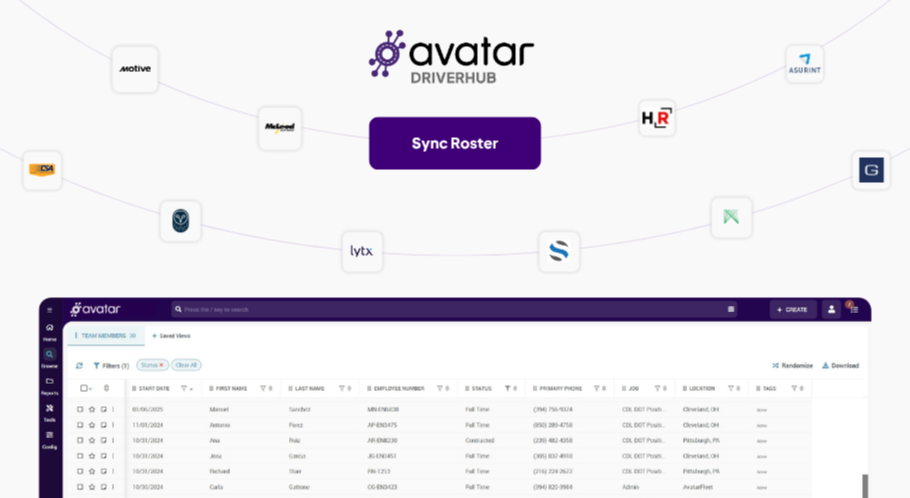
Ask what actually moves between systems. Does the integration transfer only a driver's name and phone number? Or does it move the information your team actually needs, including relevant records, dates, and status information?
Every manual handoff creates extra work and extra time. When you're dealing with driver qualification and compliance records, there's also an opportunity for information to be entered incorrectly, left incomplete, or lost altogether.
Ask your software vendor: Show me exactly what happens to a driver's information as they move from recruiting to onboarding to compliance.
Don't settle for "Yes, we integrate with that."
Make them show you.

4. Does onboarding actually move the driver forward?
Once a candidate says yes, the work isn't over. Now you need paperwork, screening, verification and other requirements completed before that driver can get behind the wheel.
A good driver onboarding workflow should make it obvious:
What's done? What's missing? What's next?
Automated reminders and digital paperwork can reduce the amount of time recruiters spend chasing candidates. More importantly, information collected during onboarding should flow into the driver's compliance record rather than being reentered later.
That's the difference between digitizing a process and automating a process.
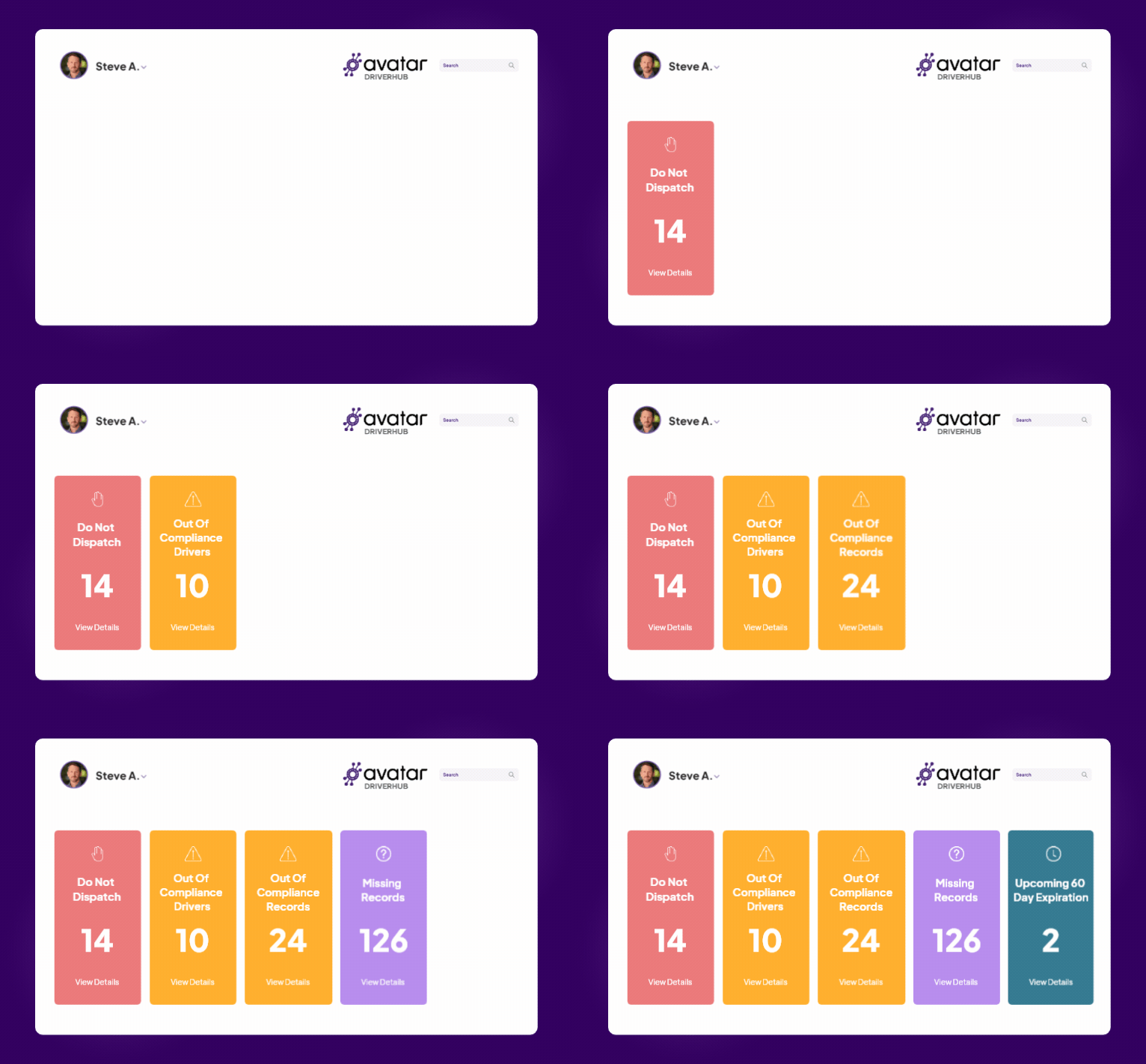
5. Can your compliance team see what needs attention right now?
Your compliance team shouldn't have to dig through hundreds of driver files to figure out who needs attention today.
Useful compliance management software should surface:
- Who is out of compliance?
- Which records are missing?
- What's about to expire?
- Which drivers shouldn’t be dispatched today?
DriverHub's Compliance Dashboard is designed to give safety and compliance teams this visibility in one place, including out-of-compliance drivers, missing records, upcoming expirations, and Do Not Dispatch status.
The goal of a compliance dashboard isn't to give your team more information to sort through.
It's to tell you what to take action on.

What to Compare on the Compliance Side
When evaluating driver recruiting and compliance software, don't stop at whether a platform claims to support compliance. Look at how compliance actually works inside the hiring process.
Ask:
- Automated DQ file building: Does information collected during recruiting flow directly into the driver's DQ file?
- Missing information: Does the system identify what's incomplete, or does someone have to check manually?
- Expiration tracking: Does it automatically flag expiring credentials and medical cards?
- Configurable compliance dashboard & alerts: Does the system make it obvious what a drivers’ compliance status is or when should not be dispatched? Are those rules able to be customized to your fleet’s specific needs?
- Audit readiness: If you're audited tomorrow, can your team quickly see what's complete, what's missing and what needs attention?
- Data movement: When information comes from another system, does it actually transfer or does someone still have to rekey it?
Platforms such as Tenstreet, Foley and Double Nickel bring recruiting, onboarding and compliance capabilities together. The important question isn't simply whether a platform has those features. It's how those capabilities work together.
If recruiting, onboarding and compliance still require your team to export information, send emails or update multiple systems, the workflow may be less connected than the feature list suggests.
For a deeper look at how individual platforms compare, see Avatar's Double Nickel, Foley, and Tenstreet comparisons.
The 5-Minute Software Demo Test
Don't ask a salesperson to show you every feature during a demo. Give them a real-world scenario instead: "Show me what happens when a driver applies today."
Then let them walk you through the process from start to finish.
As they do, look for a few things:
- Where does the application go?
- How does screening happen?
- What does the driver need to complete, and how are they notified?
- How does that information move into the driver's compliance record?
- What happens when something is missing, delayed or expired?
- Can recruiting and safety see the same status without chasing each other down?
- How does the system tell you the driver is ready to drive?
And here's the part to really pay attention to: How many times does the process depend on someone doing something manually?
Someone sends an email. Someone enters the information. Someone checks the file. Someone updates another system.
Those handoffs are where hiring slows down, and administrative work piles up.
The goal isn't to eliminate the people doing the work. It's to eliminate unnecessary work they're doing, keeping the process moving quickly and efficiently.

The Best Workflow Keeps Compliance Moving
The goal of fleet management software isn't to give your team another dashboard, login or system to babysit. It's to make the work easier by connecting the steps that already have to happen.
Recruiters should be able to see where a candidate stands without chasing updates. Safety teams shouldn't have to hunt for missing records, and managers shouldn't have to ask five people for the same information. Just as importantly, your team shouldn't have to retype information that already exists somewhere else.
That's what makes integrated driver recruiting and compliance software valuable. It's not about having the most features. It's about eliminating the handoffs that slow your team down and keeping compliance connected from the first application through the driver's hiring cycle.
Avatar DriverHub was built around that idea, bringing recruiting and compliance together to help transportation teams manage the driver lifecycle in one place. Schedule a free demo.
Frequently Asked Questions
What is driver recruiting and compliance software?
It's software designed to help transportation companies manage driver recruitment, onboarding and compliance within connected workflows. Depending on the platform, it may include applicant tracking, digital onboarding, screening, driver qualification files, compliance monitoring, reporting and automation.
What should I look for in driver recruiting software?
Look for transportation-specific recruiting workflows, easy driver onboarding, automated tasks and reminders, compliance capabilities, meaningful integrations and reporting that shows where candidates and drivers need attention.
Is a generic ATS enough for commercial driver recruitment?
A generic ATS can handle some recruiting tasks, but fleets should make sure it supports the specific needs of commercial driver recruitment and can connect recruiting with onboarding and compliance. Transportation-specific systems can eliminate more manual work because those requirements are built into the workflow.
How can software improve driver onboarding?
Software can reduce manual paperwork, automate reminders, organize required tasks and give recruiters and safety teams visibility into what's complete and what's missing. The biggest opportunity comes when onboarding information automatically flows into the driver's ongoing compliance record.
What should I compare when evaluating driver recruiting and compliance software?
Look at how recruiting, onboarding and compliance work together. Pay particular attention to DQ file management, automated reminders, compliance visibility, integrations, manual data entry, and what happens when information is missing or expires.
How much does driver recruiting software cost?
Pricing varies based on fleet size, functionality, users, and implementation. Avatar's previous analysis found that driver recruiting software can cost anywhere from hundreds to several thousand dollars per month, depending on the fleet's size and needs.

Get the latest articles on all things transportation delivered straight to your inbox.
Schedule a live demo
Share:


Categories
