/Avatar-MainMark-FullColor-400px.png)


Features / Candidate Landing Page
Turn Your Application Page Into Your Best Recruiter
The Candidate Landing Page is a custom-branded, mobile-first career site built right into DriverHub. It showcases your company, lists your open positions, and makes applying effortless for drivers — no web designer, no IT, no extra cost.
Built for recruiters and recruiting managers at for-hire carriers, bus and motorcoach companies, and private fleets who want more completed applications from drivers on their phones.
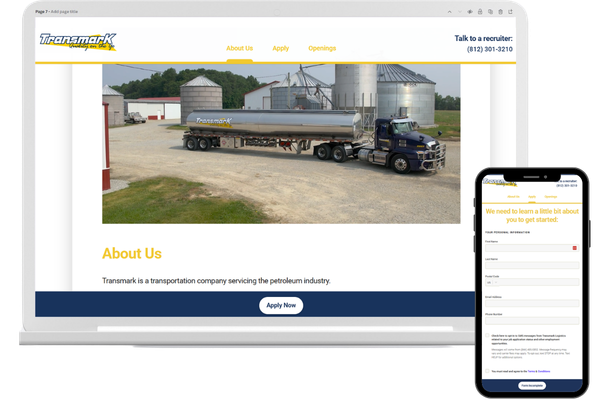
Stop Losing Drivers Before They Even Apply
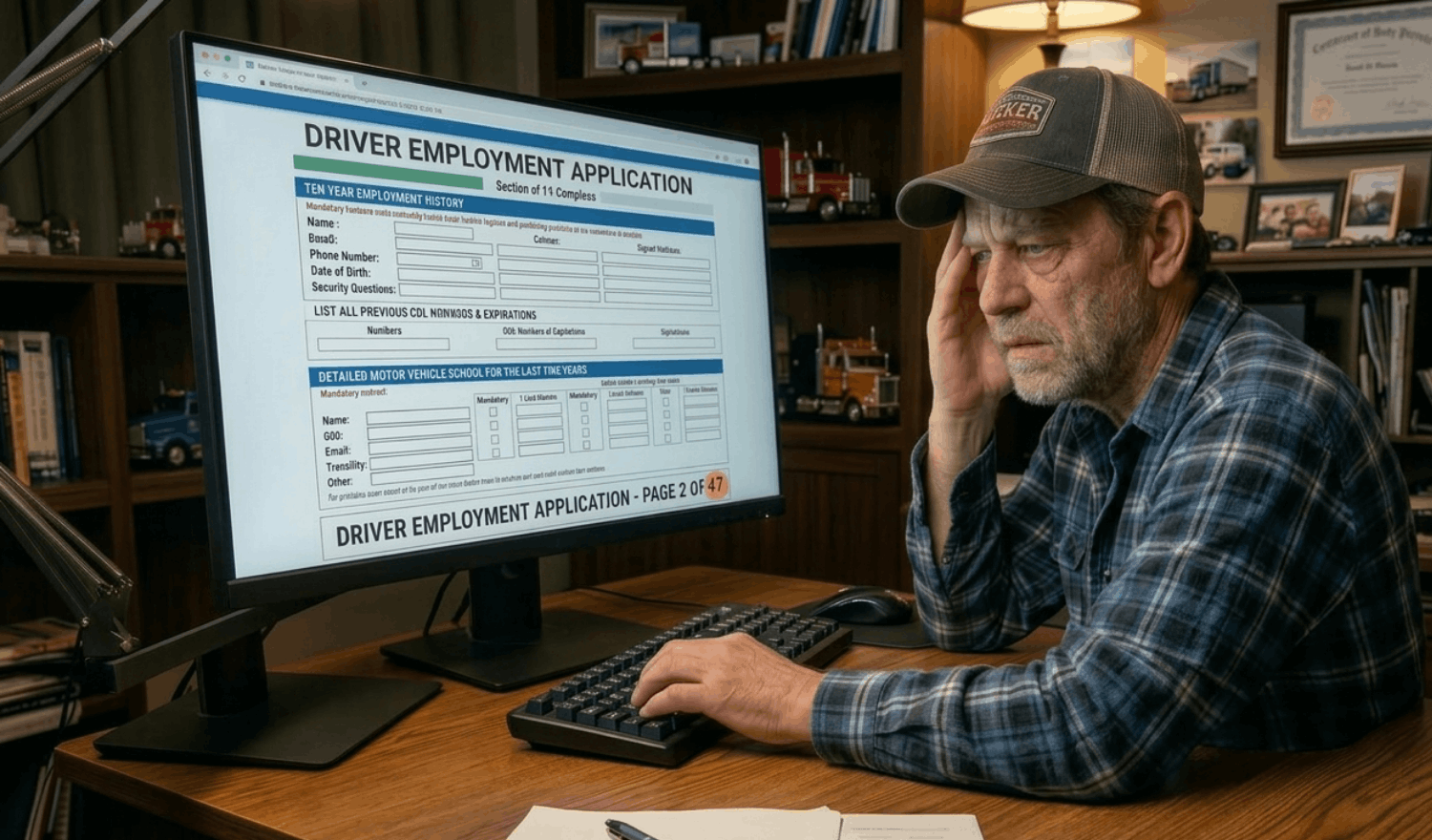
The Old Way
 |
|
|
| Drivers land on a generic form or a login screen before they've even learned anything about your company | Apps run 10–13 screens long, equal to filling out a full employment history before expressing interest | Generic qualification questions mean recruiters still have to call every lead just to find out if they're worth pursuing |
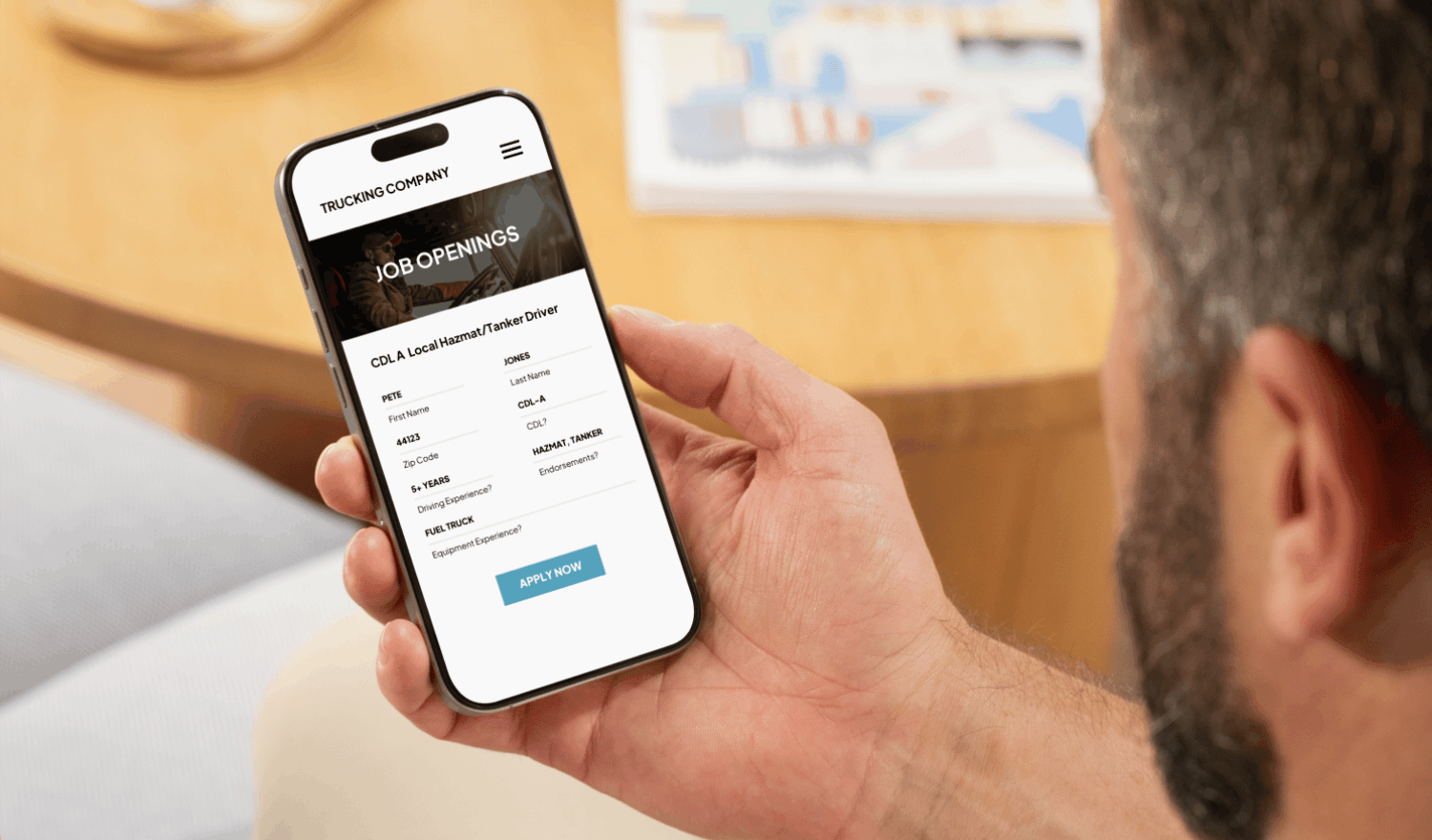
The New Way
 |
|
|
| Drivers land on a branded page that immediately tells your story: who you are and how you're different | Short, position-specific applications ask only the 3–5 qualification questions your recruiting team cares about | Every submission flows automatically into DriverHub as a new record with no manual data entry required |
 Custom Branding & Culture
 Position-Specific Applications
 Instant DriverHub Sync
 Mobile-First Experience
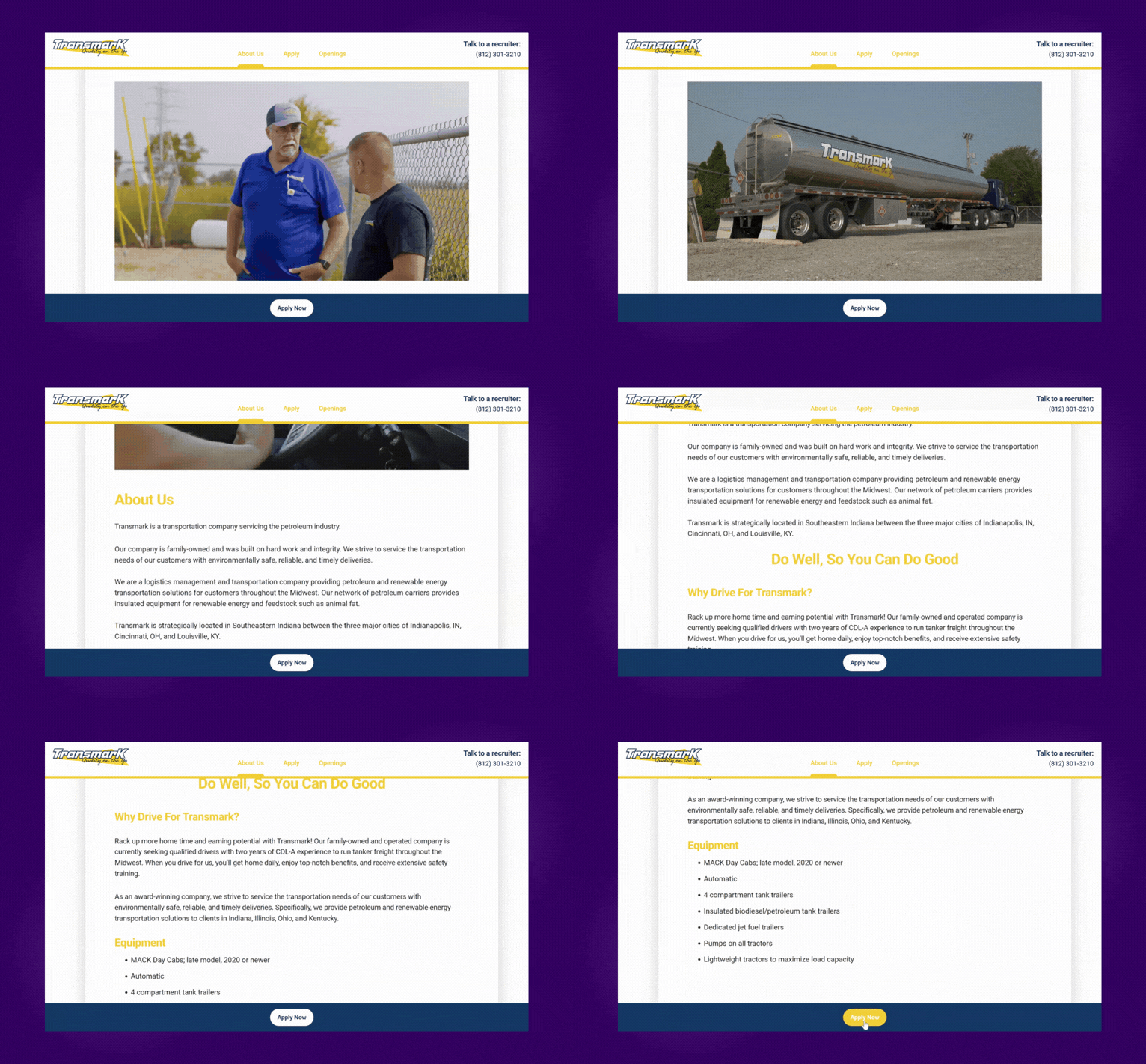
Custom Branding & Culture
- Showcase your logo, brand colors, photos, and company videos
- Tell drivers exactly what makes your fleet worth driving for — your "purple cow"
- Give candidates the warm, welcoming first impression that generic apply forms never can
Position-Specific Applications
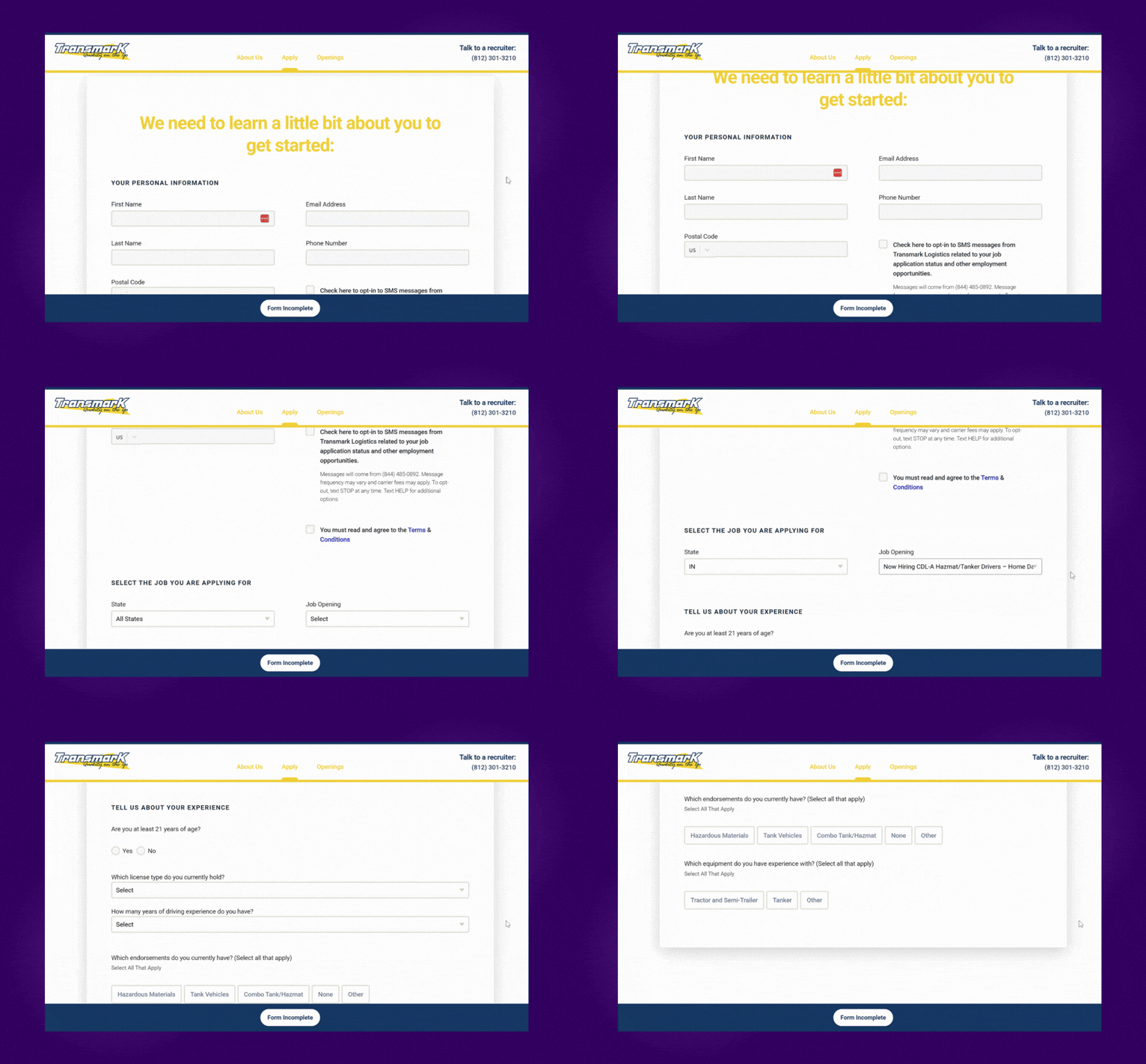
- Drivers see only the openings and questions relevant to the role they want
- Hazmat/Tanker positions ask hazmat questions. Regional positions ask about home time. No one-size-fits-all
- Shorter, smarter applications get more completions — and better-qualified leads
Instant DriverHub Sync
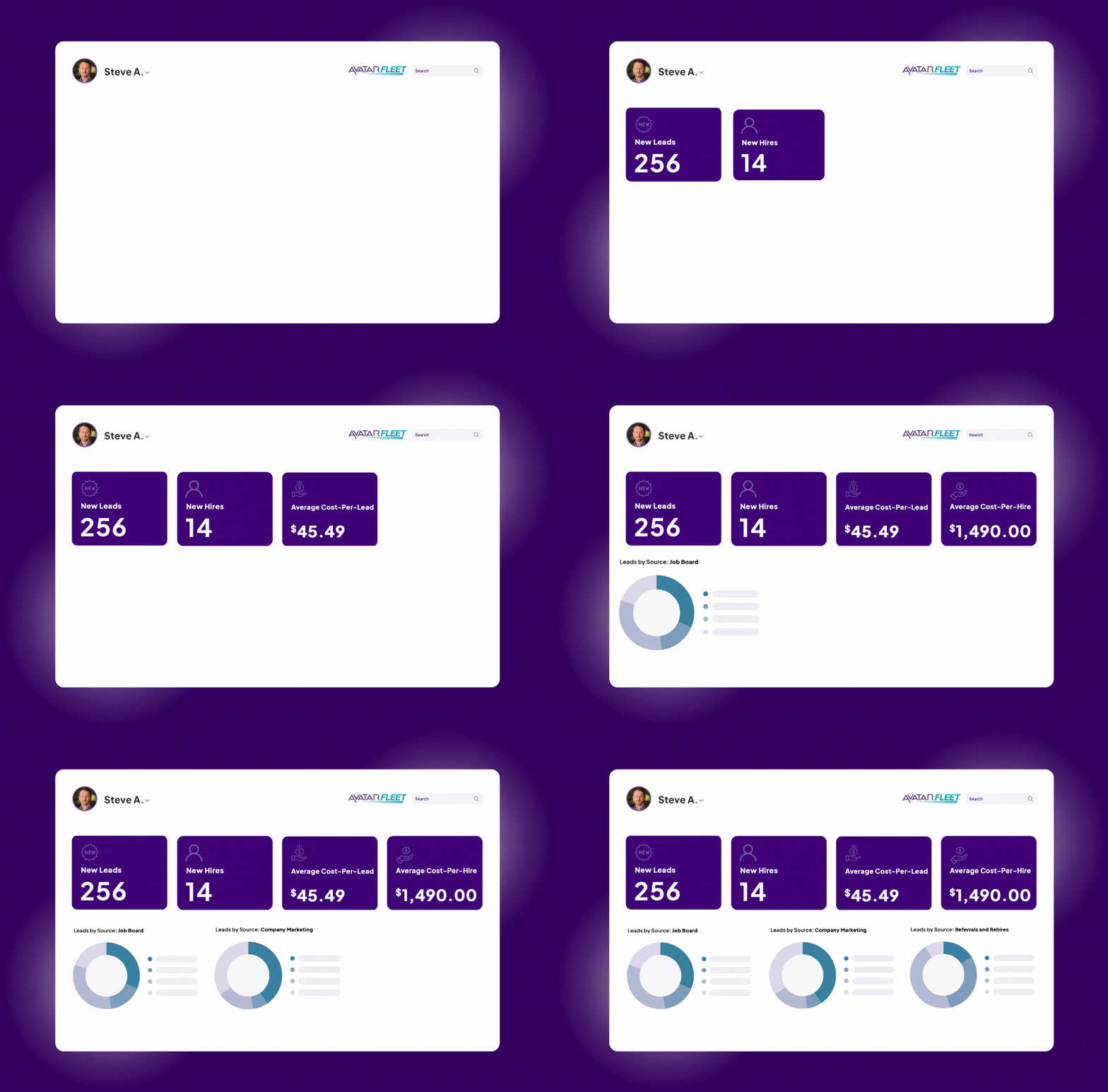
- Every submission creates a new candidate record in DriverHub automatically
- Position openings you create in DriverHub sync to your Candidate Landing Page in real time
- Qualification answers become sortable fields, so your team can find the best leads fast

Mobile-First Experience
- Designed for drivers who are applying from their phone — not a desk
- Pre-populates information from job boards like Indeed to reduce friction
- Fast, simple, and accessible regardless of a driver's level of tech savviness

Driver Discovers Your Page
A driver sees your ad on Facebook, finds you on Indeed, or clicks the careers link on your website and lands on your branded Candidate Landing Page.

Driver Sees Why You're Different
Your page showcases your company culture, benefits, videos, and open positions. Drivers get the information they need to feel confident about applying.

Driver Selects a Position
Open positions sync automatically from DriverHub. Drivers can filter by the type of work they want and click on the position that fits them best.

Driver Completes a Short App
The position-specific form asks only the 3–5 qualification questions your team needs. No login required or resume upload.

Candidate Lands in DriverHub
The submission flows into DriverHub as a new candidate record instantly, with their name, contact info, position applied for, and all qualification answers populated.

You Focus on the Best Leads
Using Saved Views, your team filters candidates by their qualifications in seconds. Prioritize the best, respond faster, and close more quality hires.
Why Fleets Have Nothing to Lose
Getting started is easy and the Candidate Landing Page is included with your DriverHub subscription.
Included at No Extra Cost
The Candidate Landing Page comes free with DriverHub. There is no add-on fee, no per-use charge, and no hidden setup cost.
We Handle the Setup
The Avatar team configures your page, branding, qualification questions, saved views, and all. We do the heavy lifting.

You're in Control
Update pay rates, hiring areas, and qualifications any time inside DriverHub.
No IT or Web Designer Needed
Your page is an extension of your website that requires zero technical setup from your team to launch and maintain.
How the Candidate Landing Page Works
| Capability |  |
Details |
| Custom-branded career site | ✅ Yes | Shows your logo, brand colors, photos, and company videos |
| Mobile-first design | ✅ Yes | Built for drivers applying from their phones |
| Position-specific applications | ✅ Yes | Each opening asks only the 3 to 5 qualification questions your team needs |
| No login or resume required | ✅ Yes | Drivers apply without creating an account or uploading a resume |
| Real-time job sync | ✅ Yes | Openings you create in DriverHub appear automatically, and filled or paused jobs disappear |
| Job filtering for drivers | ✅ Yes | Drivers filter openings by the type of work they want |
| Indeed pre-fill | ✅ Yes | Pre-populates driver information from job boards like Indeed |
| Automatic candidate records | ✅ Yes | Each application creates a DriverHub record with name, contact info, position, and qualification answers |
| Recruiter notifications | ✅ Yes | Your team gets notified as soon as a driver applies |
| Sortable qualification answers | ✅ Yes | Filter candidates by their answers in seconds with Saved Views |
| Setup by Avatar | ✅ Yes | The Avatar team configures your page, branding, and qualification questions |
| Self-service updates | ✅ Yes | Update pay rates, hiring areas, and qualifications any time inside DriverHub |
| Replaces your company website | ❌ No | Works alongside your site; link to it from your Careers or Drive For Us button |
| Web designer or IT needed | ❌ No | Your team needs no technical setup to launch or maintain it |
| Extra cost | ❌ No | Included with DriverHub: no add-on fee, per-use charge, or setup cost |
Book a Personalized DriverHub Demo
Schedule your DriverHub demo to see how Avatar customers reached 100% compliance and cut cost per hire by more than 50%.
.webp?width=580&height=387&name=Avatar%20DriverHub%20Demo%20Driver%20Recruiting%20Software%20DOT%20Compliance%20Software%20Applicant%20Tracking%20System%20(1).webp)