/Avatar-MainMark-FullColor-400px.png)


Features / Saved Views
Your Entire Recruiting Pipeline Organized, Filtered and Ready
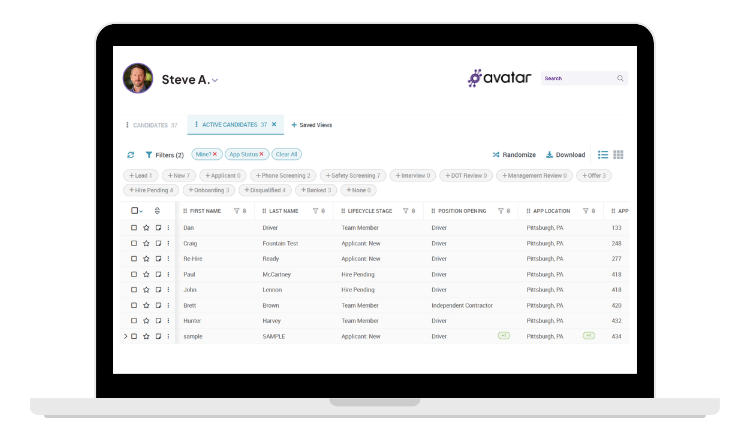
Saved Views in DriverHub let you build custom browser screens — with your filters applied, your columns arranged, and your candidates sorted — and return to them in one click.
Built for recruiters, recruiting managers, and compliance teams at for-hire carriers, bus and motorcoach companies, and private fleets who work the same lists in DriverHub every day.
Stop Losing Qualified Drivers to Slow Follow-Up

The Old Way
 |
|
|
| Recruiters who spend 15 minutes a day rebuilding filters lose 65+ hours a year to configuration, not candidates | New leads, qualified candidates, and orientations all mixed in one undifferentiated list with no consistent order | When a recruiter leaves, their personal workflow disappears with them — and the next person starts from zero |
The New Way: Saved Views
 |
|
|
| Open DriverHub and your most important candidates are already filtered and waiting — every day, every recruiter | Distinct saved views per funnel stage: Qualified Leads, Completed Apps, Booked Interviews, Orientations, First Week | Share your standard workflow with every team member in one click — new hires start from your system, not a blank screen |
 Build & Save Views
 Share With Your Team
 Set a Default View
 Update or Revert in Two Clicks
Build & Save Views
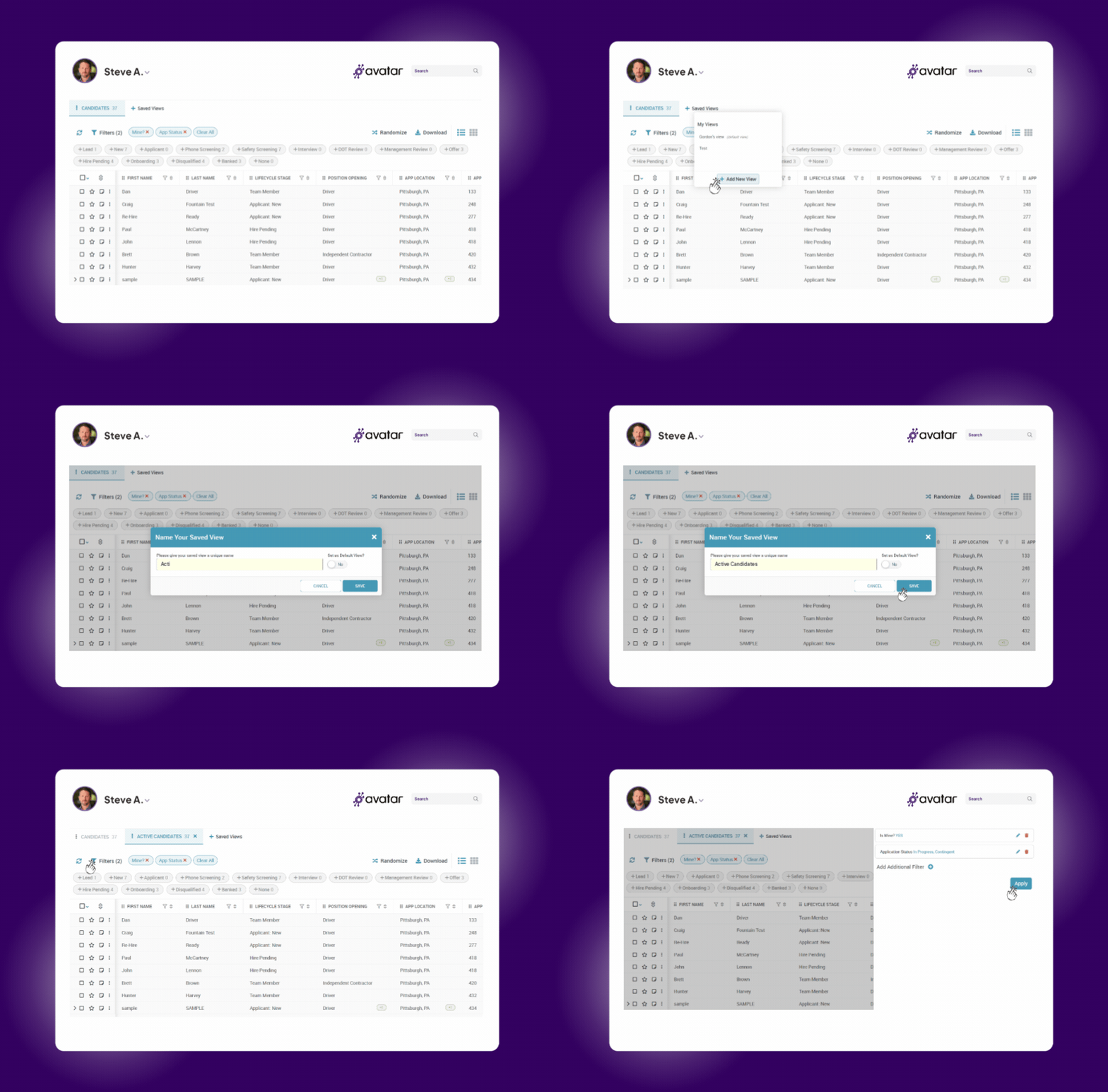
- Apply your filters, arrange your columns, and set your sort order exactly how you want them
- Click the + icon, name your view, and it's saved permanently — for you and your whole team
- Works in any DriverHub browser: Candidates, Drivers, or Openings
Share With Your Team
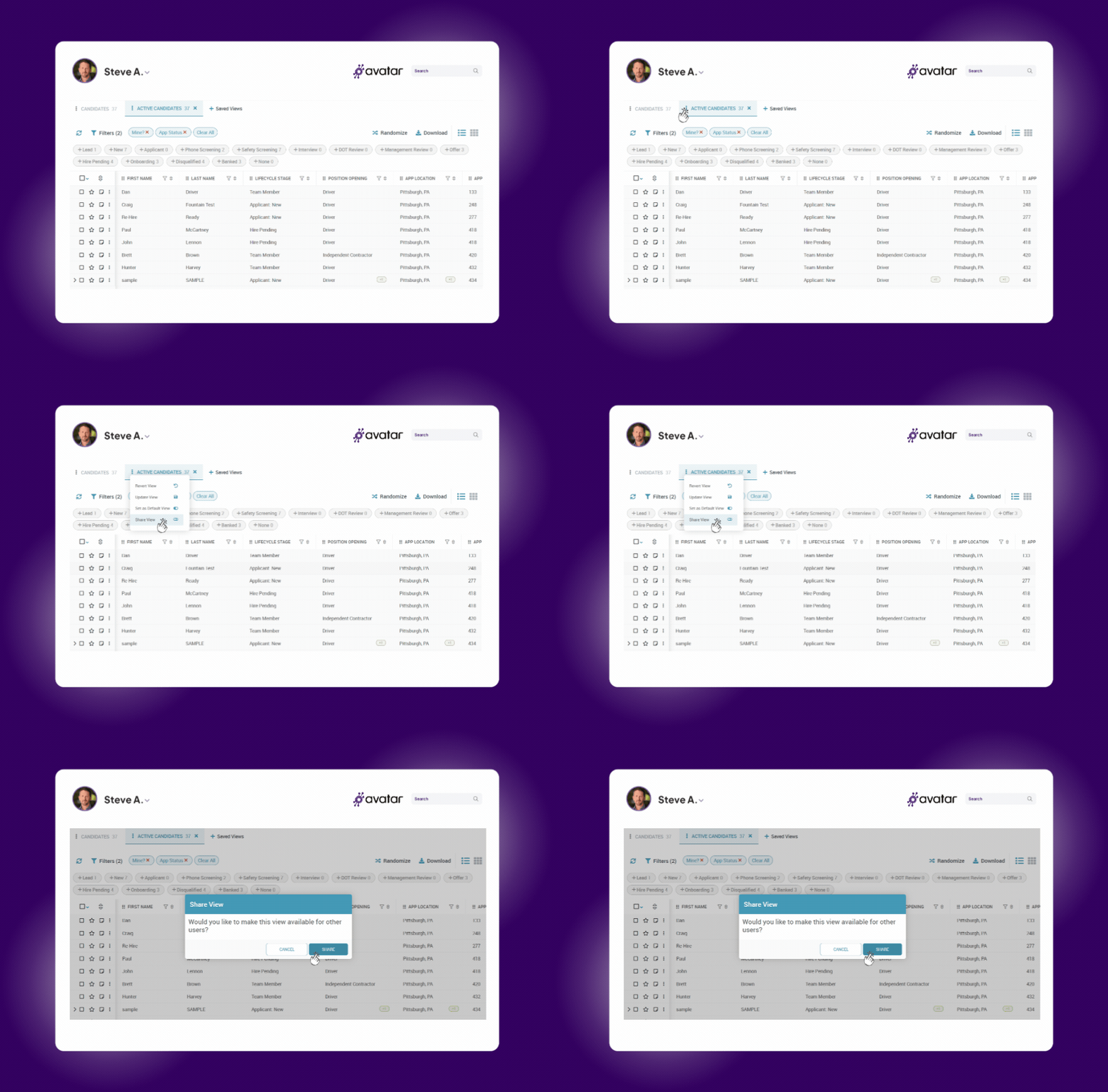
- Any Saved View can be shared with your entire recruiting team in one click
- Every recruiter works from the same view, the same way — no more inconsistent follow-up
- Onboard a new recruiter by handing them your best recruiter's exact workflow — on day one
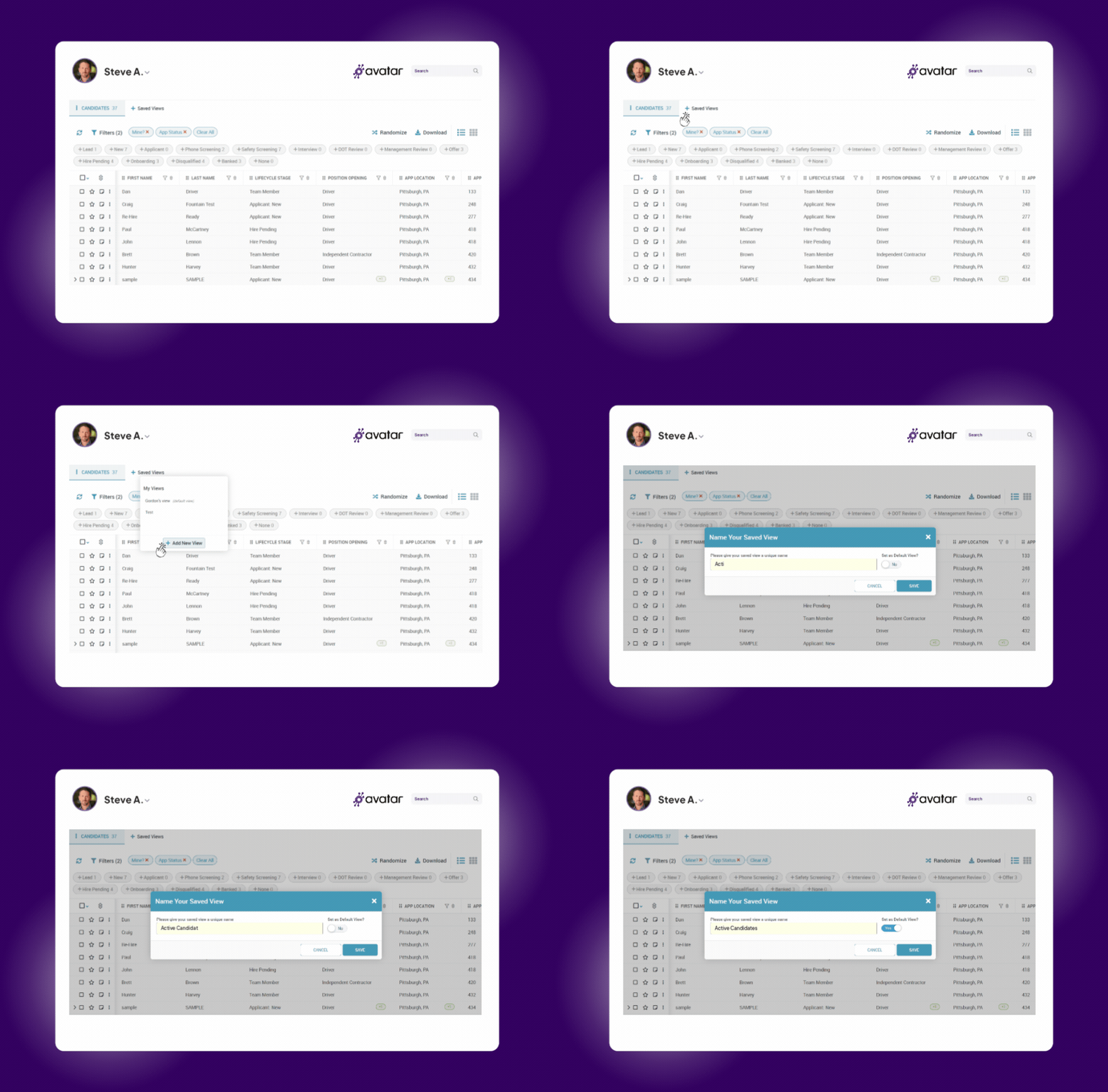
Set a Default View
- Choose any Saved View as your default so DriverHub always opens to the right candidates
- No more blank browsers, no more reconfiguring — your team is working from the first click
- Set different defaults for different team members based on their role in the pipeline
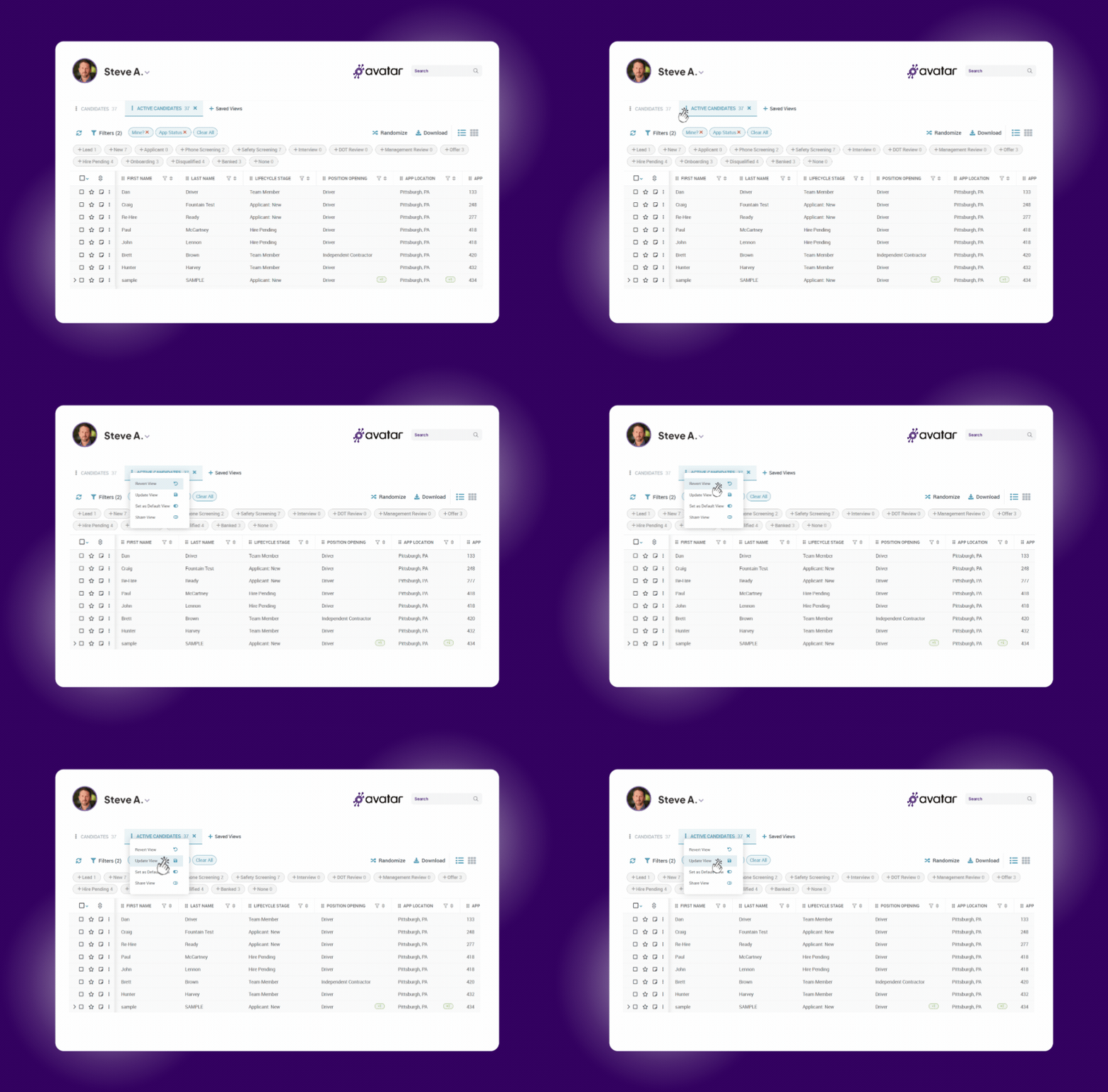
Update or Revert in Two Clicks
- Click the ⋮ menu next to any view to update it with your latest configuration
- Made a mistake? Revert to the previous saved state instantly — no rebuilding required
- Your system stays current as your recruiting process evolves, without starting from scratch

Build your view
Apply your filters, arrange your columns, and sort by whatever matters most for that stage of the pipeline.
Name and save it
Click + next to Saved Views, give it a name your whole team will recognize — "Qualified Leads," "Booked Interviews" — and save.

Set it as default
Optionally set any view as your Default View so every recruiter opens DriverHub to the right candidates immediately.

Share with your team
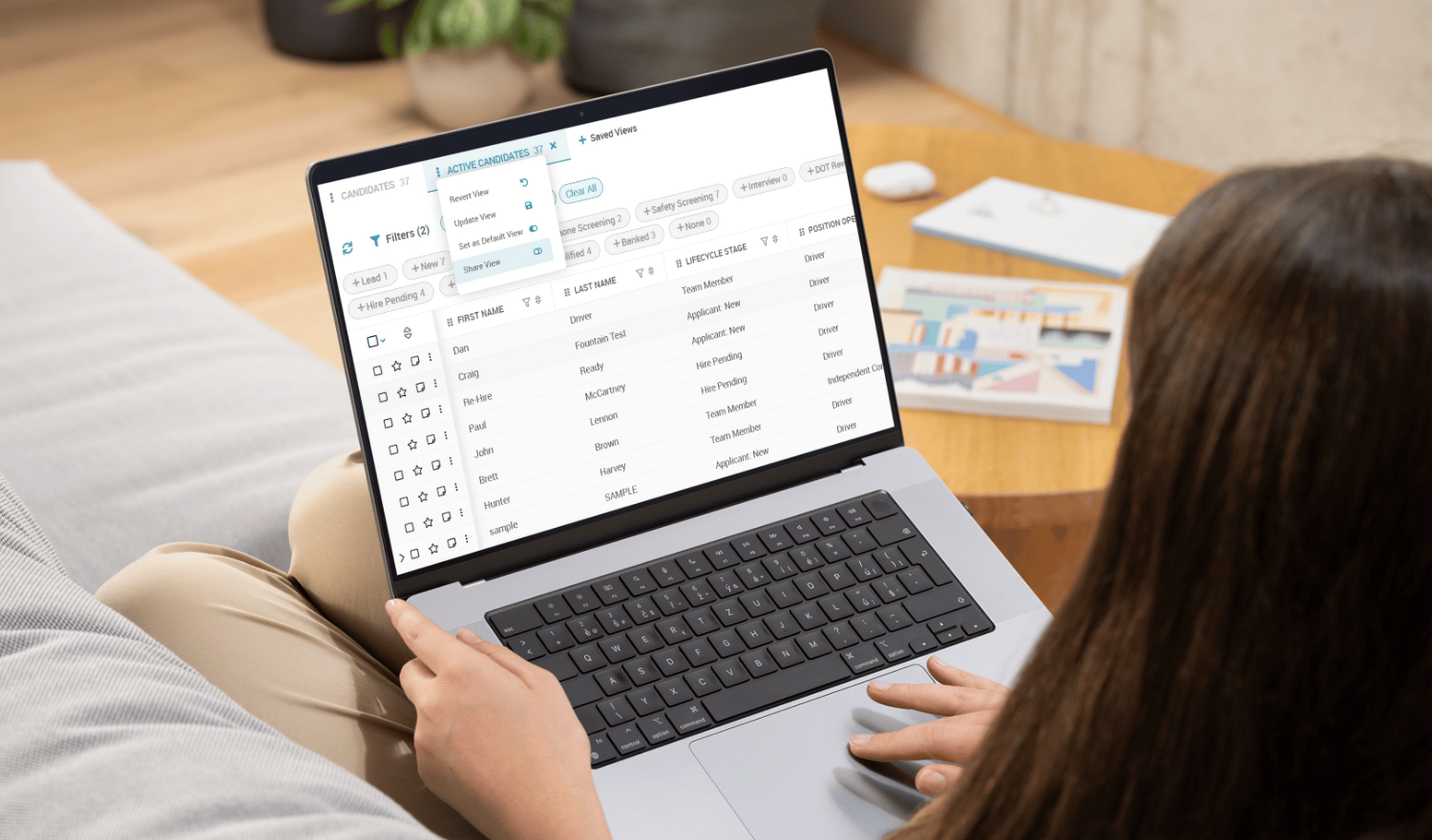
Share the view from the ⋮ menu. Every recruiter now works the pipeline the same way — no configuration required on their end.

Work each stage daily
Build one view per funnel stage and work them in sequence: Qualified Leads → Completed Apps → Booked Interviews → Orientations → First Week.

Keep it current
Use Update View to save changes or Revert to roll back. Your recruiting SOP stays live inside DriverHub — not in someone's head.
Why Your Team Has Nothing to Lose
Saved Views are included with your DriverHub subscription and take under 60 seconds to create.
Included at No Extra Cost
Saved Views comes free with DriverHub. There is no add-on fee, no per-use charge, and no hidden setup cost.
Survives recruiter turnover
When a recruiter leaves, the system stays. New team members inherit your process — not a blank screen.

Built in under 60 seconds
Apply filters, click +, name your view, and it's live for your whole team. There is no training required to get started.
Easy to update, easy to revert
Two clicks to update a view as your workflow evolves. Two clicks to roll back if a change doesn't work out.
How DriverHub Saved Views Work
| Capability |  |
Details |
| Custom saved views | ✅ Yes | Save your filters, column layout, and sort order, then return to them in one click |
| Works across DriverHub | ✅ Yes | Build views in the Candidates, Drivers, and Openings browsers |
| Team sharing | ✅ Yes | Share any view with your recruiting team in one click |
| Default view | ✅ Yes | Choose a view that opens automatically every time you log in |
| Different defaults by role | ✅ Yes | Set a different default view for each team member based on their part of the pipeline |
| Update a view | ✅ Yes | Save your latest filters to an existing view from the ⋮ menu |
| Revert a view | ✅ Yes | Roll back to the previous saved version in two clicks |
| Unlimited views | ✅ Yes | Create as many views as you need: one per funnel stage, job type, or recruiter |
| Views survive recruiter turnover | ✅ Yes | Shared and default views stay in DriverHub when a recruiter leaves |
| Share with specific team members only | ❌ No | Shared views go to your entire recruiting team |
| IT help or training needed | ❌ No | Most views take under 60 seconds to build |
| Extra cost | ❌ No | Included with DriverHub: no add-on fee, per-use charge, or setup cost |
Book a Personalized DriverHub Demo
Schedule your DriverHub demo to see how Avatar customers reached 100% compliance and cut cost per hire by more than 50%.
.webp?width=580&height=387&name=Avatar%20DriverHub%20Demo%20Driver%20Recruiting%20Software%20DOT%20Compliance%20Software%20Applicant%20Tracking%20System%20(1).webp)