/Avatar-MainMark-FullColor-400px.png)


Features / Workflow Triggers
Stop Chasing Every Application. Focus On The Top 10% Instead.
DriverHub workflow triggers automatically screen every applicant against your criteria and only alerts you when a candidate is worth stopping everything to call.
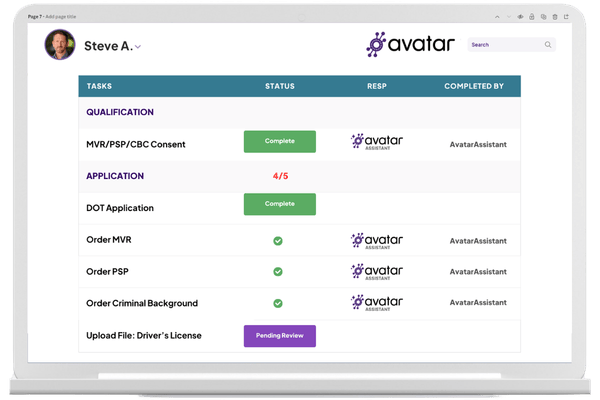
Stop Wasting 2–4 Hours Per Day & Losing Leads

Manual Driver Recruiting
 |
|
|
| Misses top candidates who apply after hours when recruiters are unavailable | Requires 2–4 hours per day screening and manually ordering MVRs on bad fits | Best applicants get the same slow response as low-quality leads and move on |
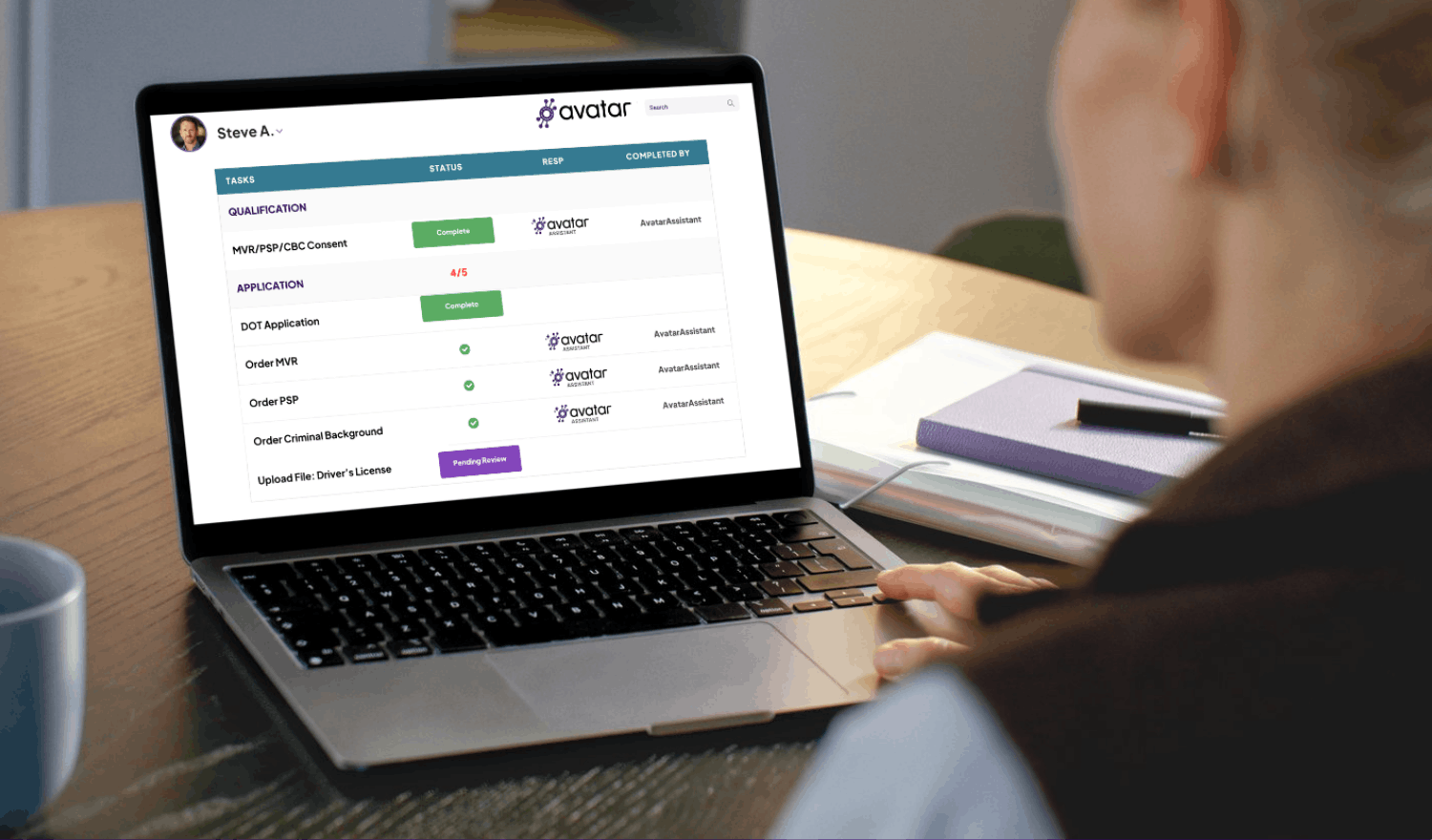
DriverHub Workflow Triggers
 |
|
|
| Screens every applicant the moment they complete qualification questions | Recruiters focus 100% of their attention on the most qualified candidates | Applies your exact criteria to every candidate — consistent, without human error |
 Instant Screening
 Auto MVR Orders
 Recruiter Alerts
 Workflow Data
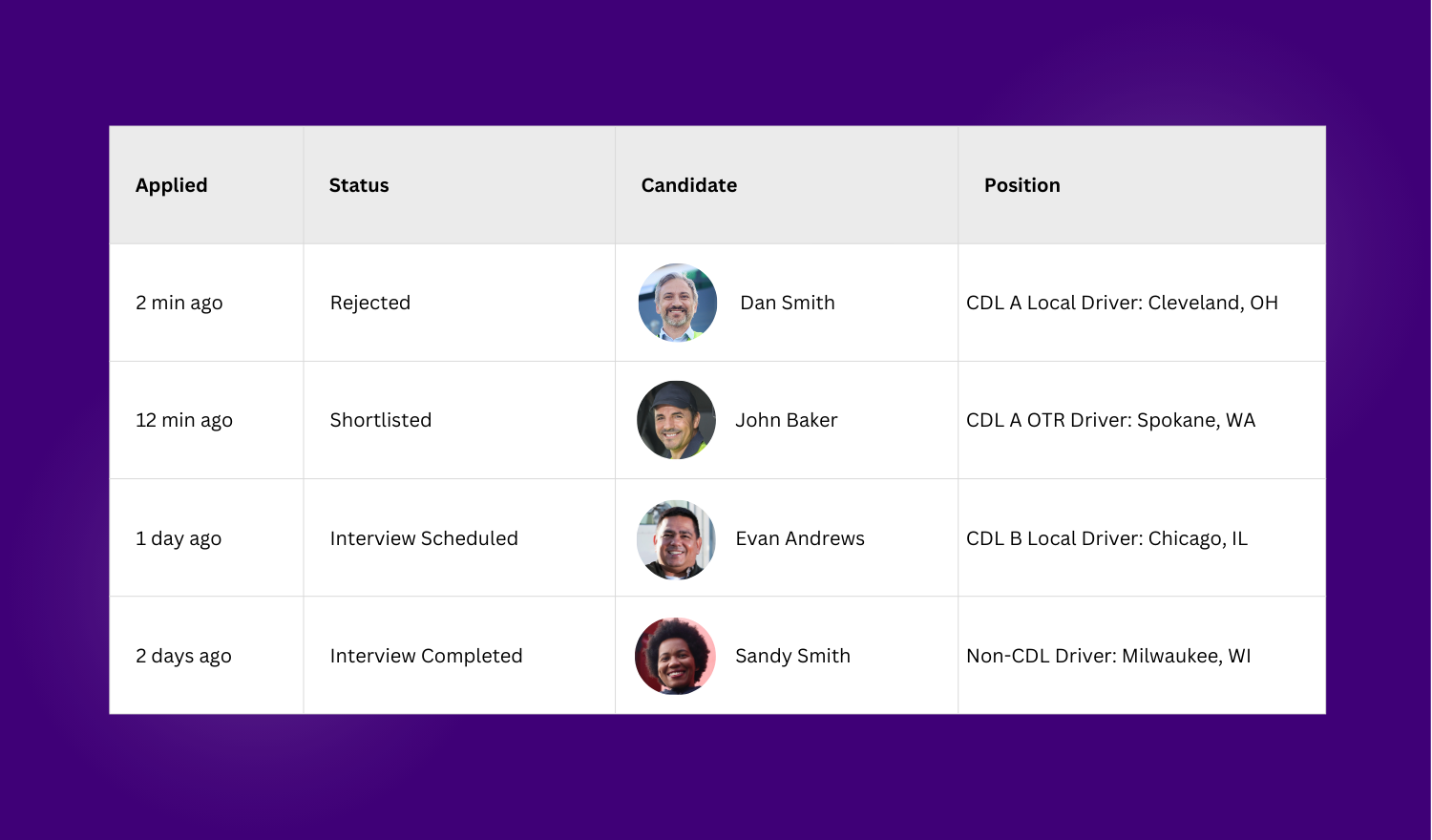
Every Applicant Screened in Seconds
- Triggers evaluate qualification answers the moment a candidate submits
- Screen for experience, endorsements, location, and availability automatically
- No spreadsheets, no manual review — instant and consistent at any volume
- Works across all open positions simultaneously, around the clock
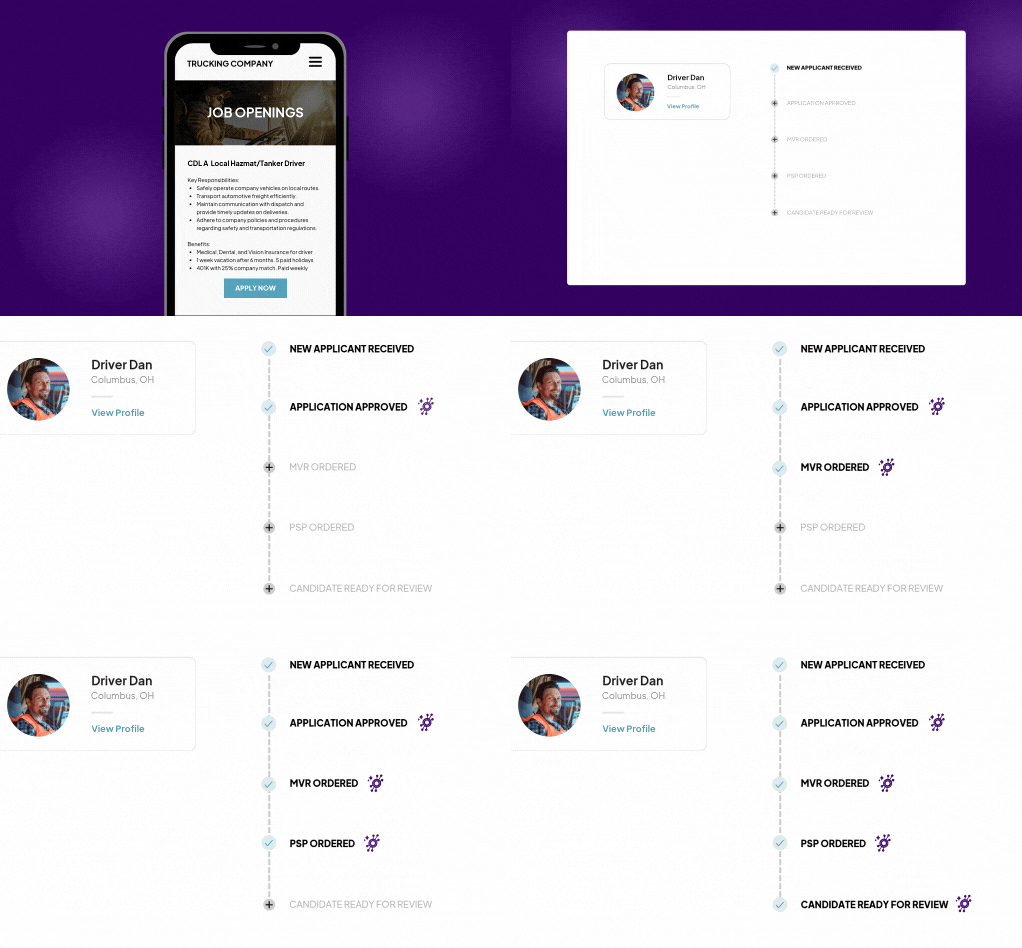
Order MVRs Automatically, Only on Candidates Who Deserve One
- Auto-order an MVR only after a candidate clears your qualification criteria
- Saves 1–2 days per candidate in your hiring timeline
- Stop paying for records on people who never had a shot
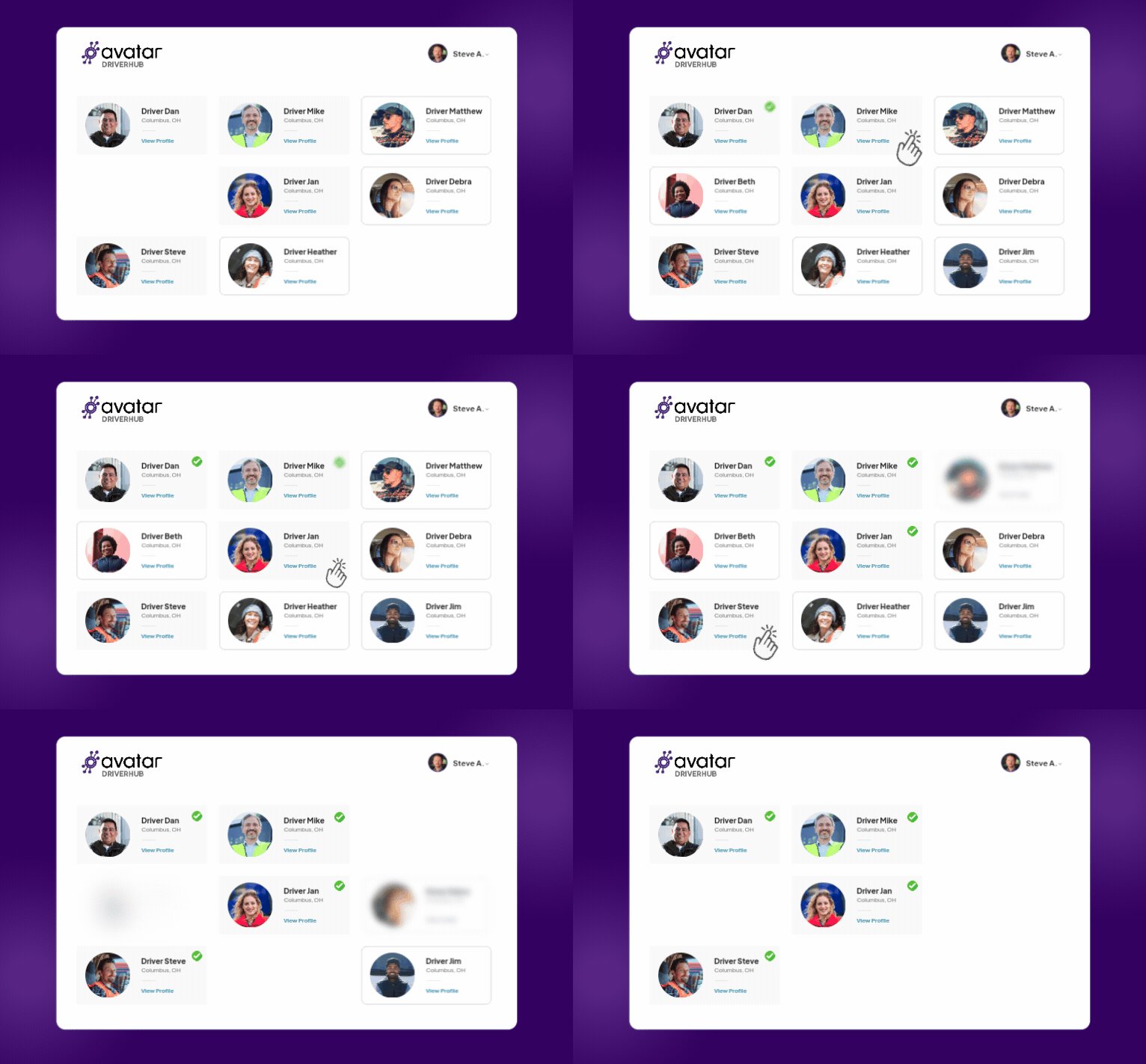
Recruiters Get Alerted for the Top 10%
- Text alerts fire only when a candidate meets every must-have criterion
- Turn alerts from noise into real, actionable signals your team acts on
- Connect rates climb — wasted calls drop to zero
- Response time drops from 24 hours to under 60 minutes
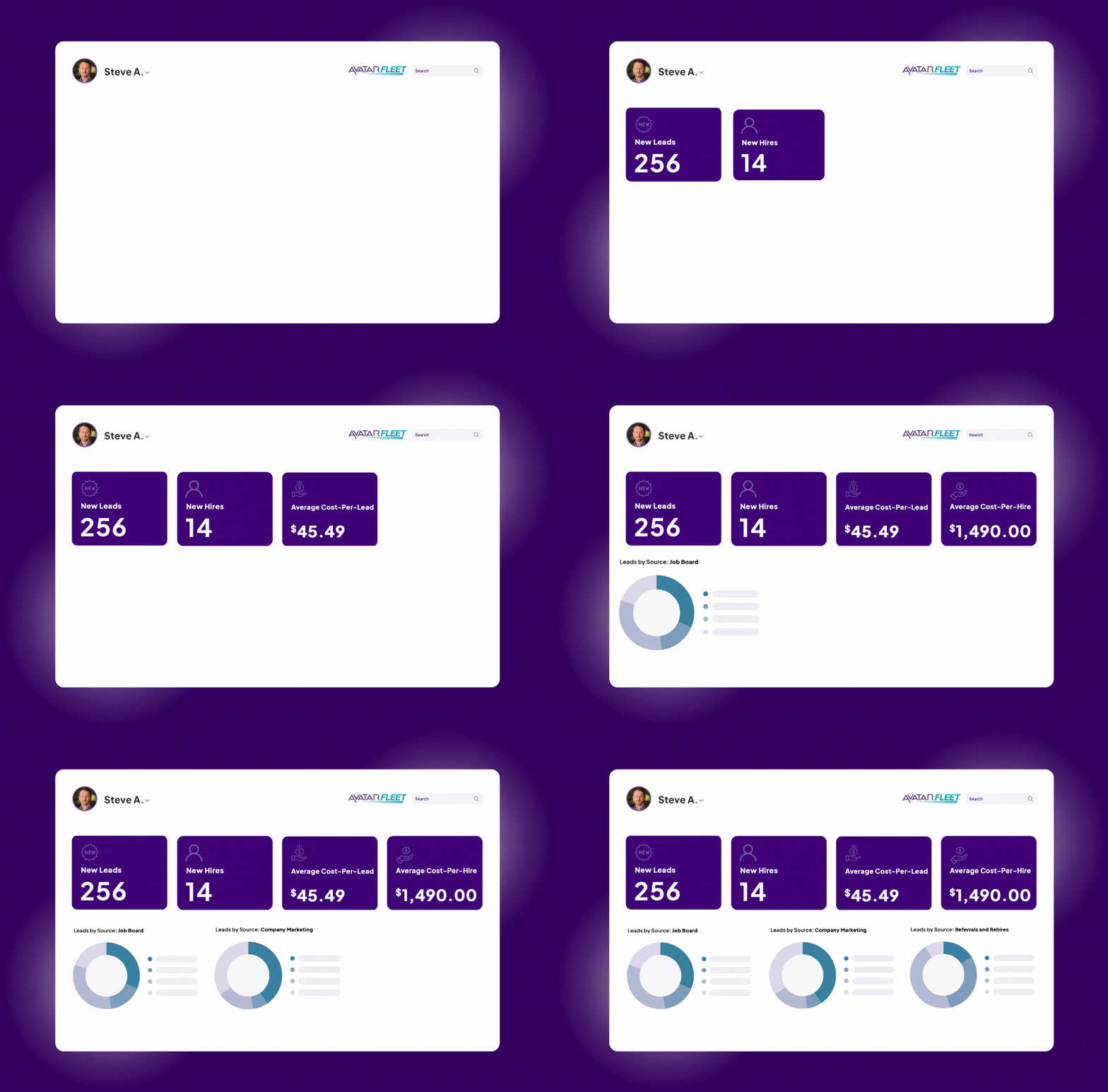
Measure Every Stage of Your Workflow
- See how many candidates hit your qualification threshold at each stage
- Identify where drop-off is costing you hires
- Turn hiring decisions from gut instinct into an optimizable process
- Adjust criteria any time — no developer, no IT ticket required

Candidate Applies
Driver completes your qualification questions on any device at any time.

Trigger Evaluates
Criteria are checked instantly: CDL class, experience, endorsements, location, etc.

MVR Auto-Ordered
If qualified, the MVR is ordered automatically. No recruiter action needed.

Recruiter Alerted
Text fires immediately for top candidates. Recruiter knows to stop and call right now.

Confirmation Sent
Candidate receives an automatic confirmation, reducing drop-off.

Offer in 3 Days
With screening, MVR, and confirmation automated, you close offers in days.
Why Recruiting Teams Have Nothing to Lose
It's easy to get started today and the results show up in the first week.
Included at No Extra Cost
Workflow triggers comes free with DriverHub. There is no add-on fee, no per-use charge, and no hidden setup cost.
You Control the Logic
Every criterion you care about can be built into a Trigger. You decide what "qualified" means for each specific position.

You're in Control
Hiring needs change. Your triggers adapt in minutes. No developer required, no waiting.
We'll Walk You Through Setup
Avatar's Client Success team guides you through your first trigger configuration.
Book a Personalized DriverHub Demo
Schedule your DriverHub demo to get 100% compliant and cut cost-per-hire by 50%.
.webp?width=580&height=387&name=Avatar%20DriverHub%20Demo%20Driver%20Recruiting%20Software%20DOT%20Compliance%20Software%20Applicant%20Tracking%20System%20(1).webp)