/Avatar-MainMark-FullColor-400px.png)



Article Summary: Don't buy the software with the longest feature list. Buy the software that makes your team's actual workflow easier.
For motorcoach, charter, and other regional transportation companies, that means judging every option on four things: compliance, hiring speed, usability, and fit for the operation you actually run. Can you see who's cleared across every location? Does the system chase the driver, or just remind you to?
A good driver management software solution should take administrative work off your plate, not hand your team one more login.
.gif?width=766&height=474&name=Automate%20Your%20Recruitment%20Process%20With%20Triggers%20(Bus).gif)
Start With Your Driver Workflow, Not the Demo
Before you sit through a software demo, map out what actually happens when you hire a motorcoach driver.
Application → Qualification → Screening → Drug Test → Road Test → Training → Ready for the First Trip
Now ask yourself: where does the process slow down most often?
For most operations we talk to, it's Death by a Thousand Cuts.
The semi-retired applicant who calls the office because he doesn't trust the online form. The candidate without a passenger endorsement nobody caught until the phone screen. The 3 to 6 days waiting on a drug test while a competitor tells him to report tomorrow. The DQ file sitting in a cabinet at the other location.
Those pain points matter more than a list of 50 features, so that's exactly where you should start.
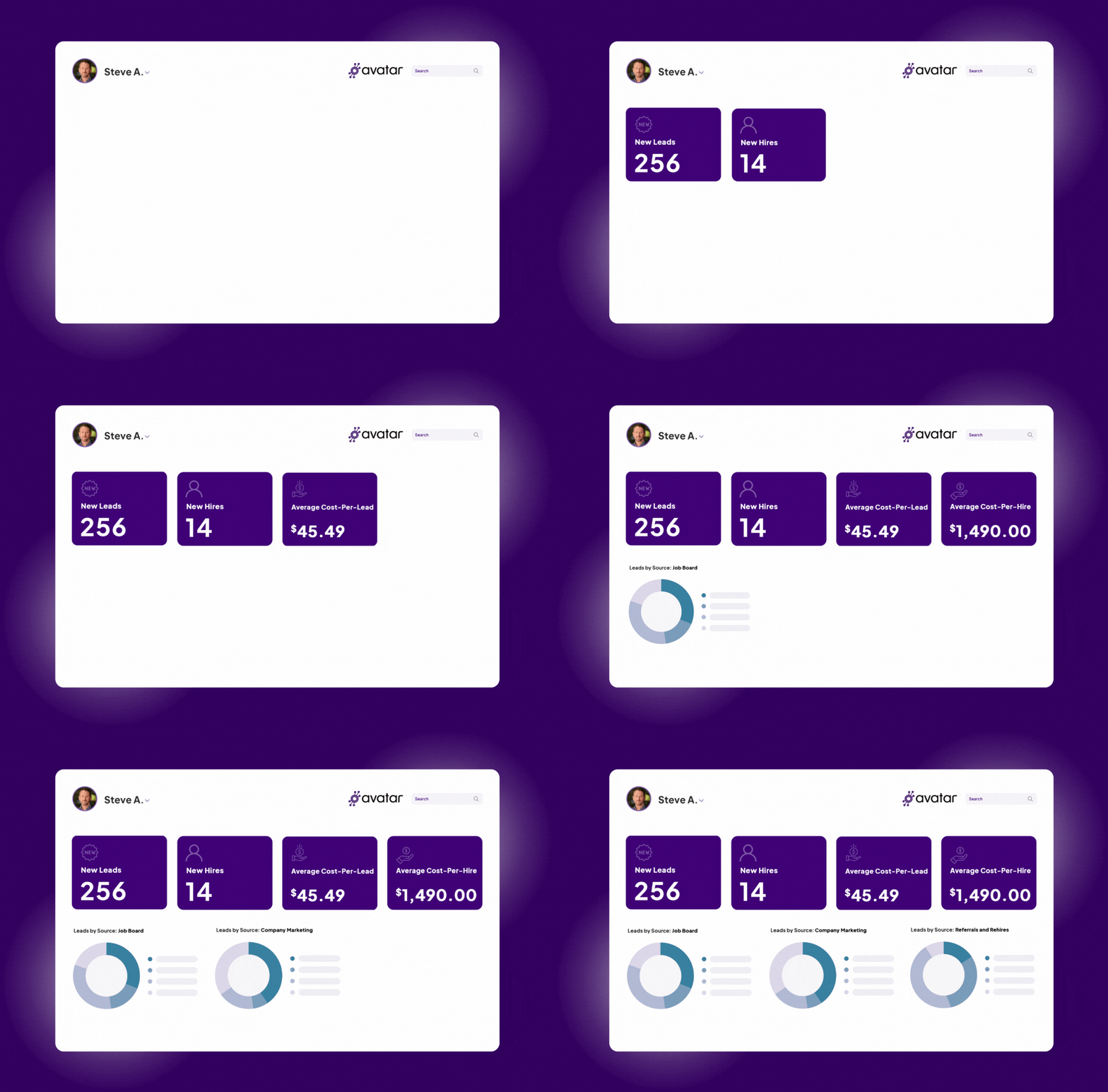
Make Sure Driver Recruiting Doesn't End at the Handoff
When you hire a driver, all of their application data, background check, MVR, drug test and more shouldn’t die in a system to never been seen again.
Your driver onboarding software should carry the right information forward so your team isn't re-entering data or tracking the same driver in multiple places.
When you're evaluating a system, ask:
- Does driver information follow the candidate through the process?
- Is information entered once and used where it's needed?
- Can the team see what's complete and what's missing?
- Does the system help move the driver to the next step?
The goal isn't to eliminate the people doing the work. It's to eliminate the unnecessary work they're doing just to keep the process moving.
Compliance Can't Be an Afterthought
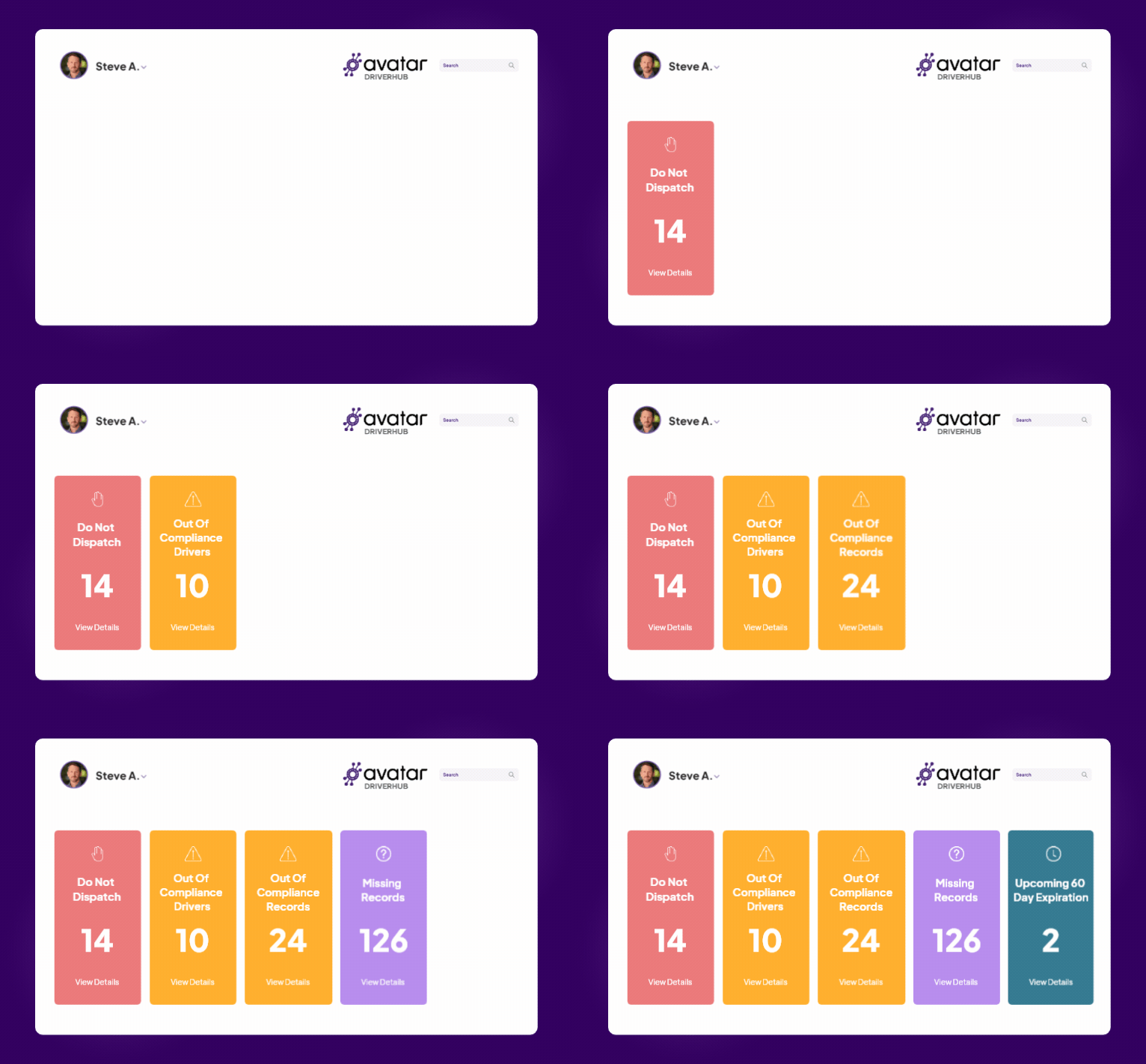
Once a driver is on your roster, your safety and compliance team needs a clear picture of what's happening. That's where driver management software should earn its keep.
Ask whether the system makes it easy to identify:
- Drivers who are out of compliance, by location
- Missing records or unsigned forms in the electronic DQ file
- Upcoming med card and license expirations
- Drivers who shouldn't be dispatched
- State requirements like Florida fingerprinting or California SPAB
Then ask the question most demos skip: who does the chasing? If the software tells you and you still have to tell the driver, you didn't buy automation. You bought a calendar. Look for automated expiration alerts that text the driver directly at 60, 30, and 15 days.
The right passenger transportation software should make exceptions easy to spot and action easier to take.
Ask What It Connects To (and What It Replaces)
Here's the line we hear at nearly every motorcoach show we attend: "I don't want integration fatigue."
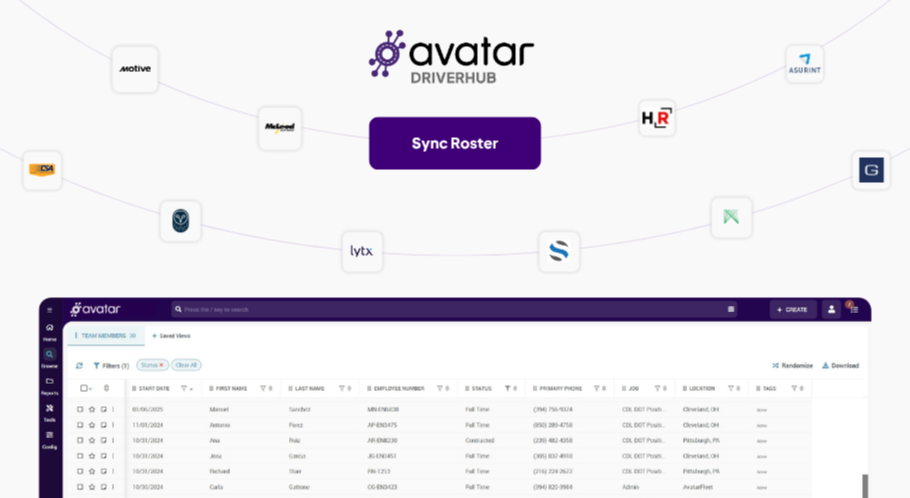
Fair. You probably already run a dispatch and booking system, telematics, payroll, and an MVR or background vendor. Ripping it all out isn't the goal. So ask every vendor:
- Which of my current systems do you connect to today, not "on the roadmap"?
- Once a driver is onboarded, does the profile push to payroll and dispatch, or does someone re-key it?
- What does this replace? The expiration spreadsheet? The paper binder? The shared drive folder?
- Are integrations included, or priced per connection after you sign?
Our position: a platform that only ever adds a login is the problem dressed up as the solution.
Don't Confuse Driver Management With Fleet Management
The terms sound interchangeable, but they solve different problems.
Fleet management is about the coaches and the trips: maintenance, quoting, dispatch, telematics. Driver management is about the people behind the wheel: driver recruiting, onboarding, qualification, training, compliance, and incidents.
You need both. But a booking system can store a med card date and still leave your team chasing drivers and building DQ files by hand. Know exactly what a platform was built to manage.

Before You Buy, Run the Checklist
You don't need software that promises all the bells and whistles. Before signing a contract, make sure the system can:
- Connect driver recruiting and onboarding in one record
- Work for older, part-time drivers on a phone
- Show compliance across every location
- Text drivers about expiring documents directly
- Connect with the systems you already use
- Come with a real migration plan for your paper DQ files
- Make sense for a fleet hiring 2 to 10 drivers a month
If you can't check those boxes, more features aren't going to solve the underlying problem.
Passenger Fleet Driver Software: Common Questions
Why do fleets struggle with driver recruiting and onboarding software?
Most fleets struggle because their driver recruiting and onboarding software wasn't built to connect. Applicants land in one system, DQ files in another, and expirations in a spreadsheet, so staff re-enter data and chase paperwork by hand. Motorcoach operators feel it more: older, part-time drivers stall on password-heavy forms, and records are split across locations.
What is the best driver management software for passenger transportation?
The best driver management software for passenger transportation connects recruiting, onboarding, DQ files, compliance alerts, training, and incident management in one driver record, and integrates with the dispatch and payroll systems you already use. It works on a phone for older drivers, tracks compliance by location, and texts drivers about expirations directly. Avatar DriverHub is built for exactly that.
Which driver onboarding software works best for regional transportation companies?
For regional transportation companies, the best driver onboarding software is sized for 2 to 10 hires a month, not a 40-a-week trucking pipeline. Look for password-free mobile applications, license and med card upload at application, screening steps that run in parallel, location-specific forms, and a hands-on migration plan for paper DQ files.
Choose Software That Fits the Fleet You Actually Run
The right driver management software shouldn't force your team to change everything about the way they work, especially if your "team" is a One-Woman Army handling recruiting, compliance, and the incident line.
For motorcoach fleets and other regional transportation companies, that means connecting the driver lifecycle, giving recruiting and onboarding a clean handoff, and giving safety the visibility it needs long after the driver is hired.
That's the thinking behind Avatar DriverHub for busing companies. It brings driver recruiting, onboarding, compliance, motorcoach driver training, and incident management into one platform.
You can get off the file cabinet without blowing up the systems that already work. Give DriverHub the same real-life test you'd give any software. Let's schedule a demo.

Get the latest articles on all things transportation delivered straight to your inbox.
Schedule a live demo
Share:


Categories
