<img height="1" width="1" src="https://www.facebook.com/tr?id=737313050390762&amp;ev=PageView &amp;noscript=1">

Integrations   /   The Bus Network (TBN)


Keep DriverHub and TBN in Lockstep, Automatically

Connect Avatar DriverHub with The Bus Network (TBN) to join your compliance and dispatch systems. Compliance changes in DriverHub reach TBN instantly, so an ineligible driver never gets a route.
Integrate TBN with DriverHub
Avatar DriverHub and The Bus Network Integration

Close the Compliance Gap Between Hiring and Dispatch

No Icon Purple Automatic Do Not Dispatch Sync
3371842_browser_online exam_tests_icon One Roster, No Double Entry
3371846_education_laptop_studying_icon Rollout Job by Job
Avatar DriverHub Integration with The Bus Network Close the Compliance-to-Dispatch Loop

Close the Compliance-to-Dispatch Loop

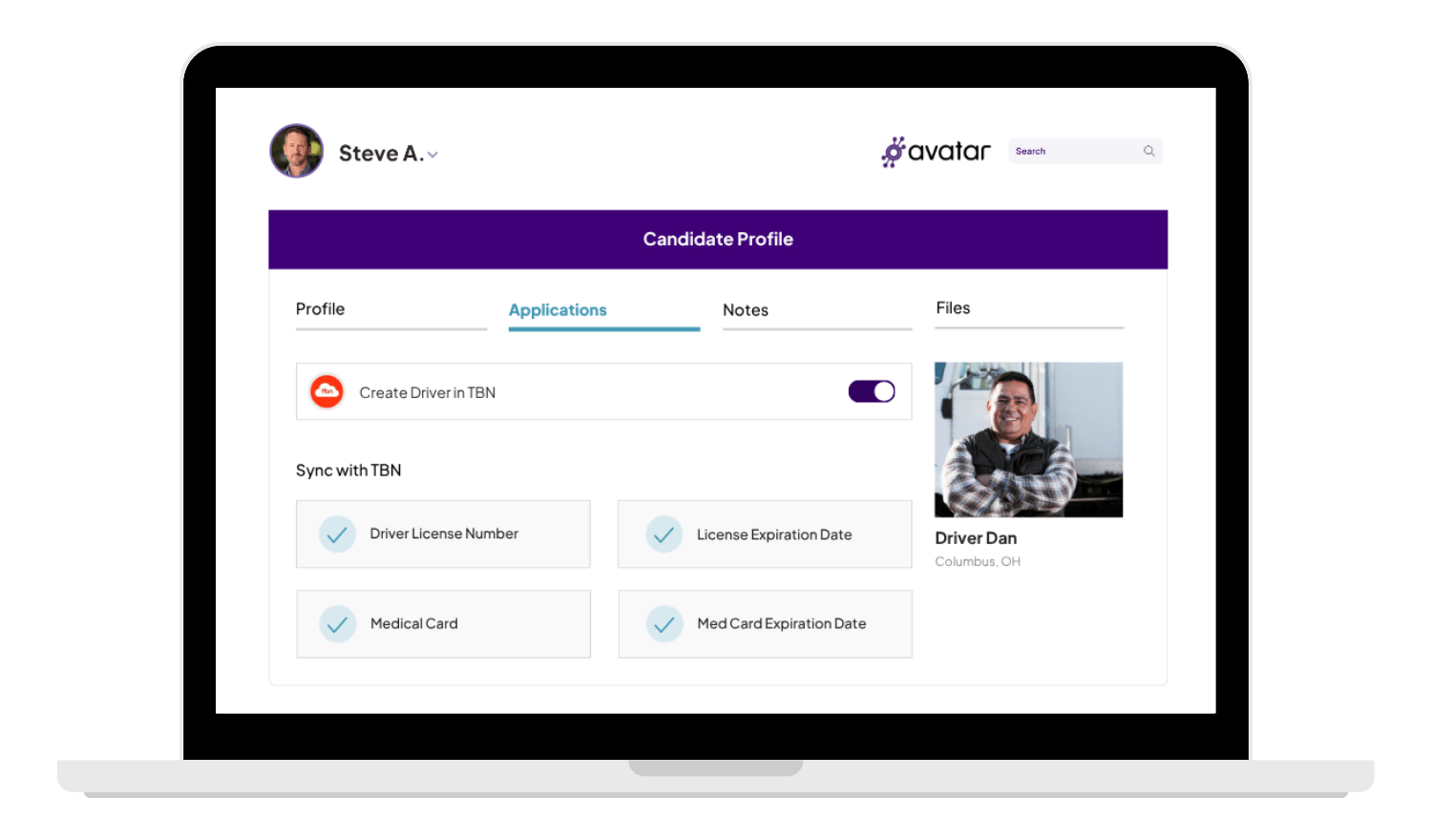
Do Not Dispatch status in TBN runs on three values: driver license number, license expiration date, and medical card expiration date. This integration keeps all three current automatically, so dispatchers never assign a route to a driver who is no longer eligible.
Avatar DriverHub Integration with The Bus Network One Roster, No Double Entry

Eliminate Double Data Entry

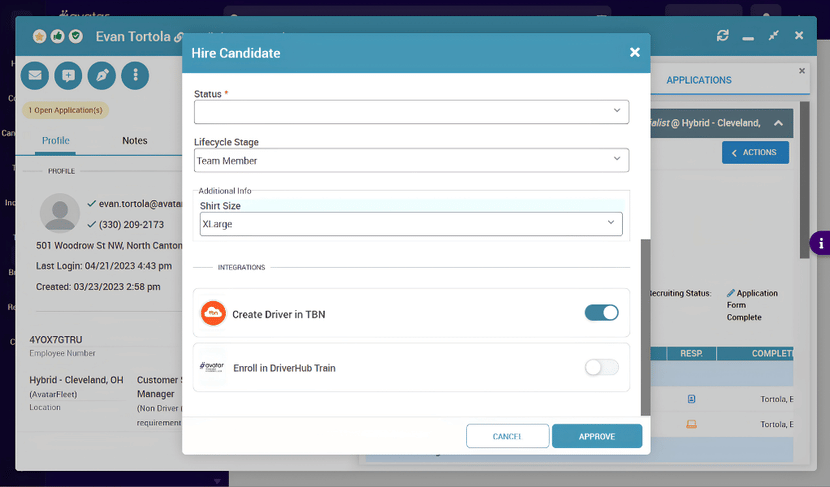
New hires get created in TBN straight from the DriverHub Hire Candidate flow, and a nightly sync at 4 AM keeps existing records current. No more re-keying license and medical card changes across two platforms.
Avatar DriverHub Integration with The Bus Network Roll Out Job by Job

Controlled, Configurable Rollout

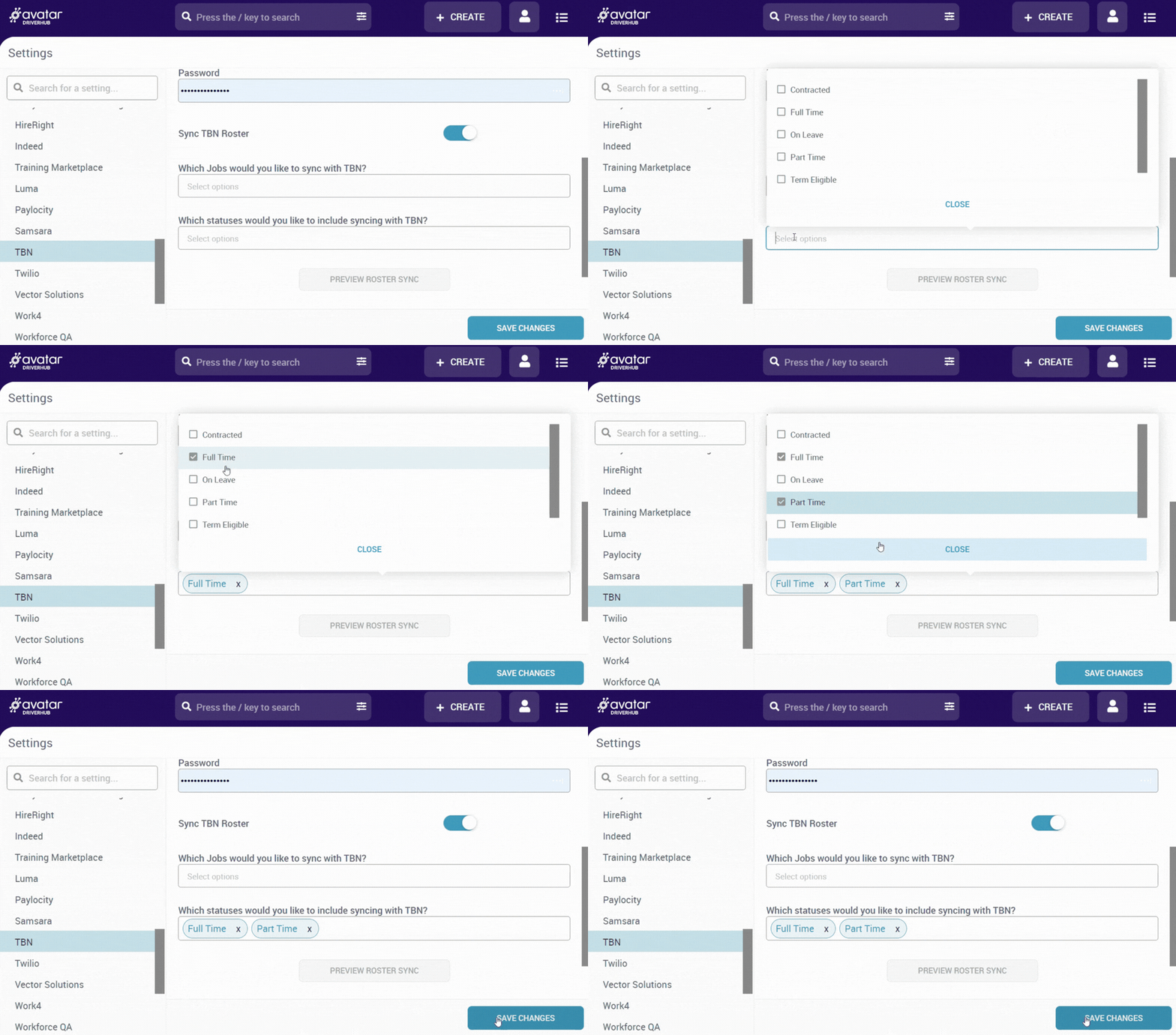
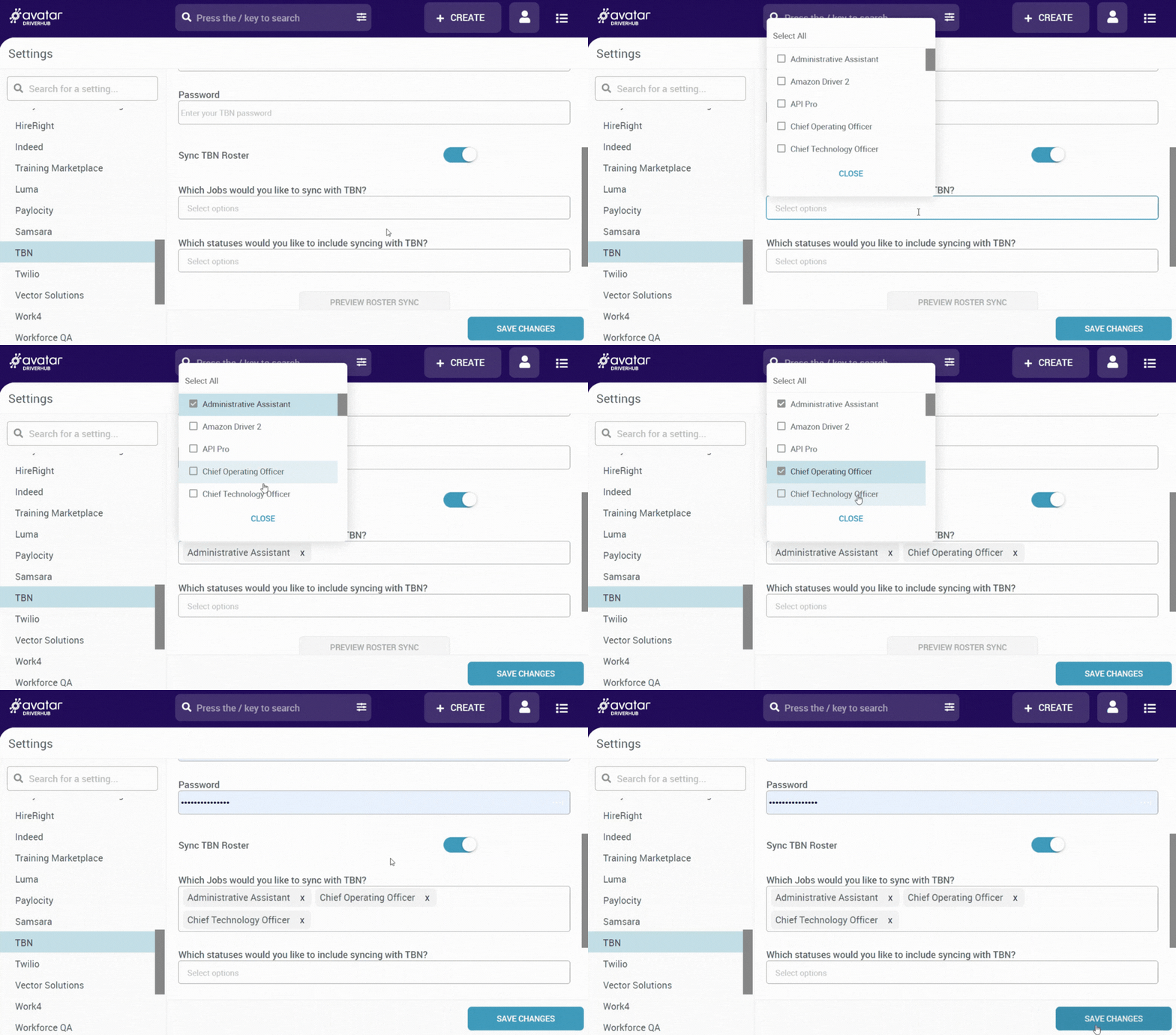
Job filters let you scope exactly who syncs, so you can turn the integration on for one job or account at a time instead of syncing your entire roster at once. Preview Roster Sync shows exactly what will happen before anything is written.

How The TBN Integration Works

1 icon

Go to Settings → TBN in DriverHub and enter your TBN credentials: username, password, and tenant ID.
2 icon

Turn on Sync TBN Roster, choose which jobs to sync, then run Preview Roster Sync to see exactly what will happen.
3 icon

Push drivers into TBN at the point of hire with the Create Person in TBN toggle, or on demand from their DriverHub profile.
4 icon

A daily sync at 4 AM updates every existing TBN record with the latest license and medical card data from DriverHub.

Frequently Asked Questions

What does the TBN integration do?

It connects DriverHub, your compliance platform, with The Bus Network (TBN), your dispatch system. It syncs your driver roster and the compliance data behind TBN's Do Not Dispatch status, so a driver flagged as ineligible in DriverHub never gets assigned to a route in TBN.

Why do I need this instead of updating both systems myself?

Most customers do it by hand today: re-keying every change to license number, license expiration, and medical card expiration across two platforms. Every missed reconciliation is a live exposure to DOT fines, FMCSA violations, and lawsuits. The integration removes the manual step and keeps both systems in lockstep automatically.

Who is this integration for?

Motorcoach and bus operators running both DriverHub and TBN who want to eliminate manual reconciliation and close the compliance gap between hiring and dispatch.

What is Initek, and why does it matter?

Initek powers the connection and manages the APIs and client credentials that link DriverHub with TBN. Existing Initek customers get a turnkey setup: email support@initekconsulting.com for your AvatarFleet (DriverHub) credentials, then enter them under Settings → TBN Configuration. New customers need to complete onboarding and account setup with Initek first. If you're not sure of your status, check with your Customer Success representative.

What exactly gets synced, and how often?

Do Not Dispatch status in TBN is driven by three values: driver license number, license expiration date, and medical card expiration date. A daily sync at 4 AM updates existing TBN records with the latest email, license number, license state, license expiration date, and medical card expiration date from DriverHub.

Can I control who gets synced?

Yes. You determine which jobs and statuses sync with TBN, and you can turn the integration on for one job or account at a time rather than syncing your entire roster at once.

Does the sync send changes from TBN back into DriverHub?

No. DriverHub is the single system of record for driver compliance. Data flows from DriverHub to TBN, not the other way around.

What happens to drivers who are in TBN but not in DriverHub?

Nothing. The integration never modifies or removes records that exist only in TBN. It only creates and updates drivers that originate in DriverHub.

Book a Personalized DriverHub Demo

Schedule your Avatar DriverHub demo to get 100% compliant and cut cost-per-hire by 50%.

Avatar DriverHub Demo Driver Recruiting Software DOT Compliance Software Applicant Tracking System (1)