/Avatar-MainMark-FullColor-400px.png)


Integrations / Luma
Assign Training, Track Completion & Store Certificates in DriverHub
Connect Luma (eNugget Learning) to DriverHub so training data lives right next to hiring and compliance. Assign a learning path, watch the progress, and keep the certificate, all without switching platforms.
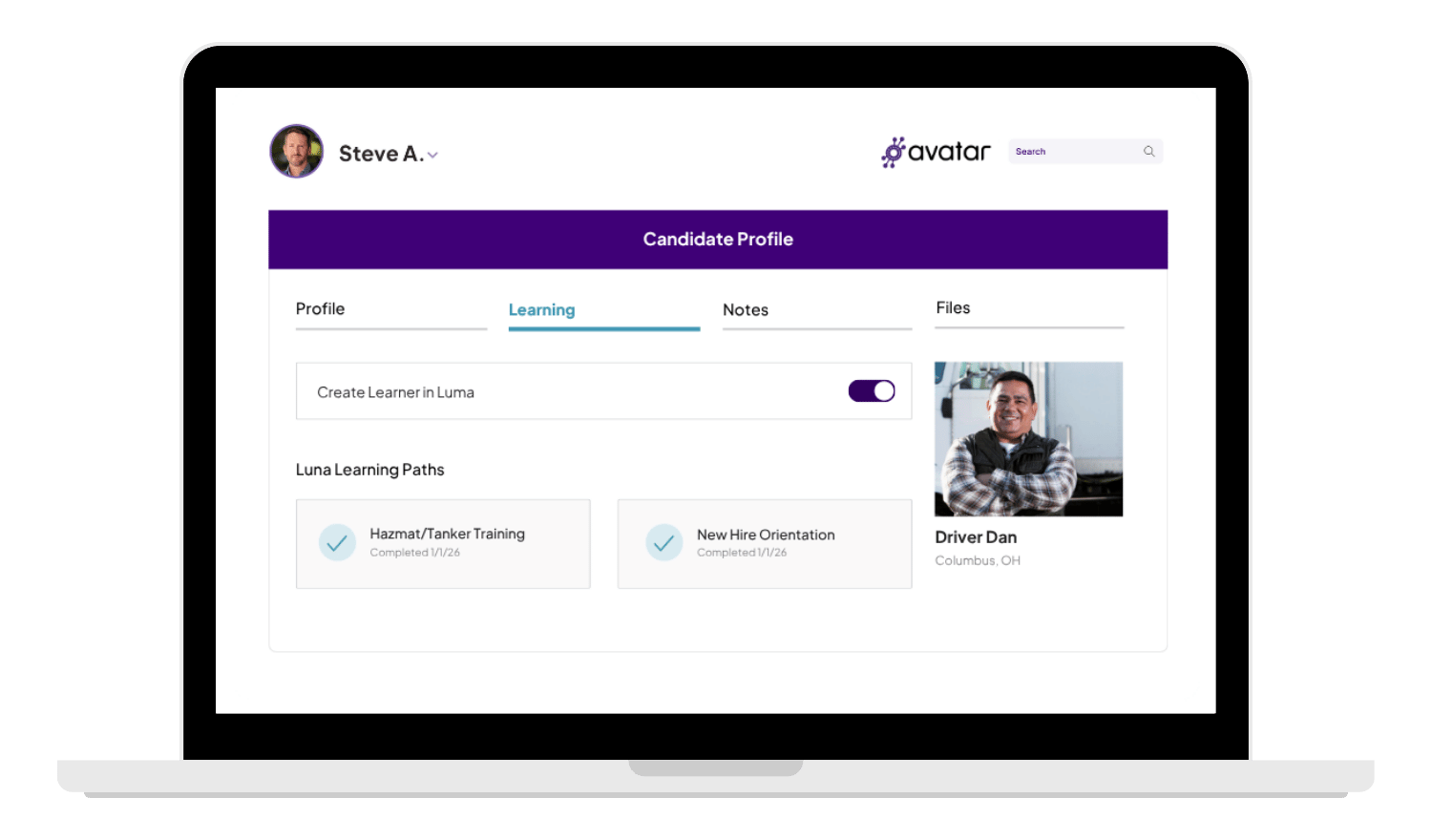
 Enroll Into Luma Learning Paths
 Track Progress in the New Learning Tab
 Certificates Stored on the Driver's Profile
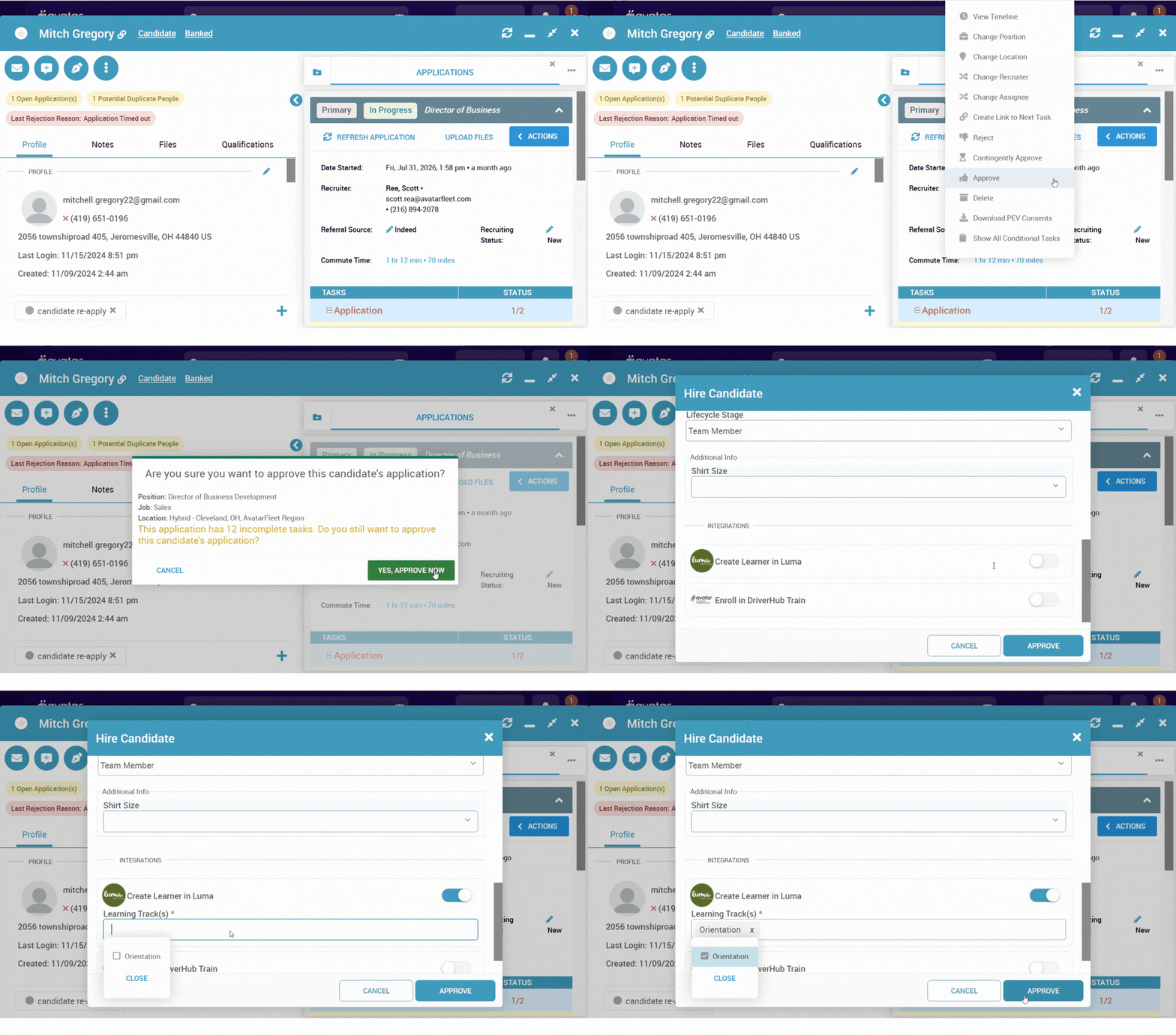
Enroll Drivers Into Luma Learning Paths
Enroll drivers into a Luma learning path from the New Hire flow, from an individual driver's profile, or as a mass action across the team member browser. Enroll anyone in DriverHub, with no job or status filters getting in the way.
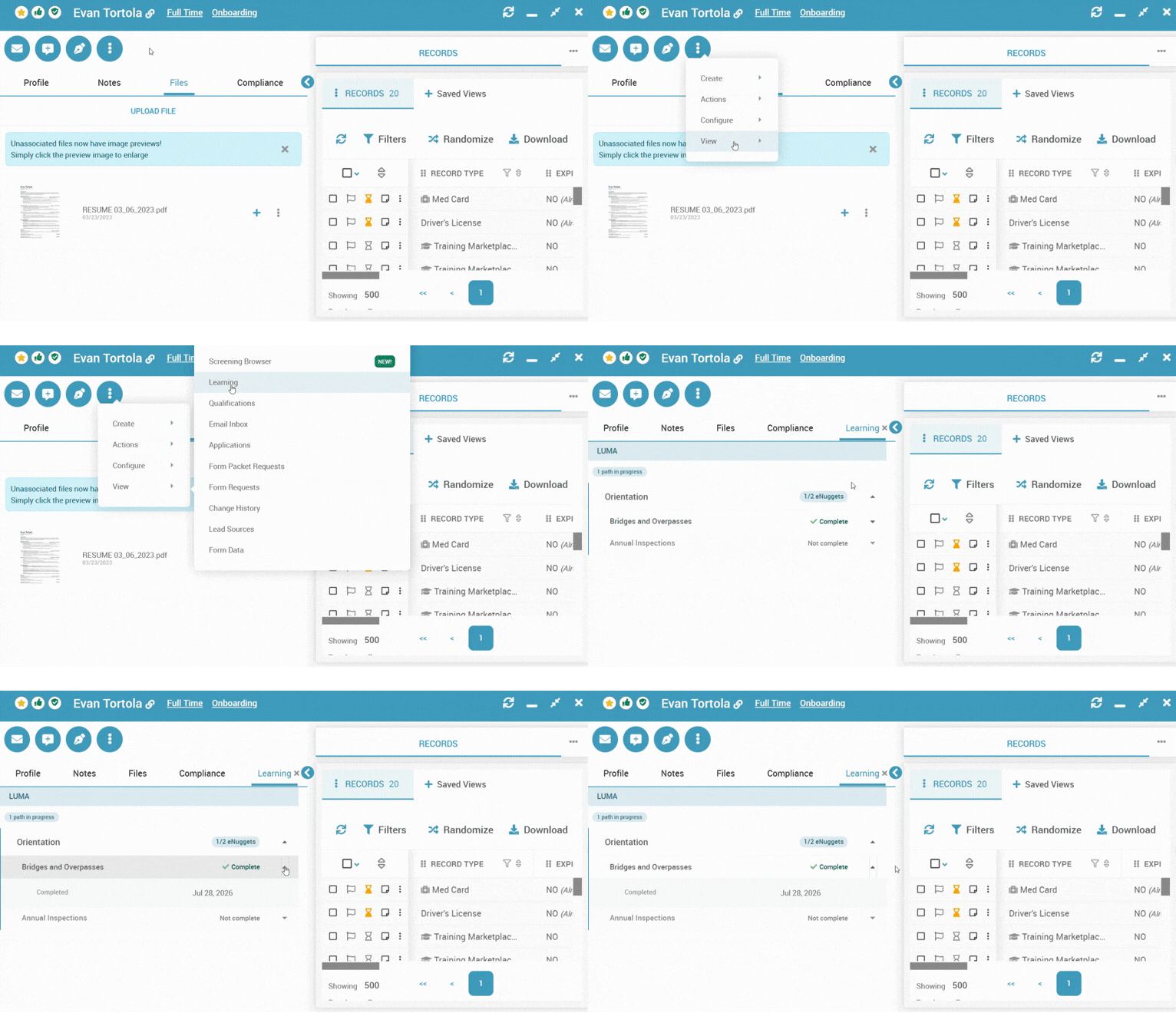
Track Progress in the New Learning Tab
Every driver profile now includes a Learning tab showing which learning paths they're assigned to and the completion status of each. Learning paths can include multiple sub-courses, and you'll see the status of those too.
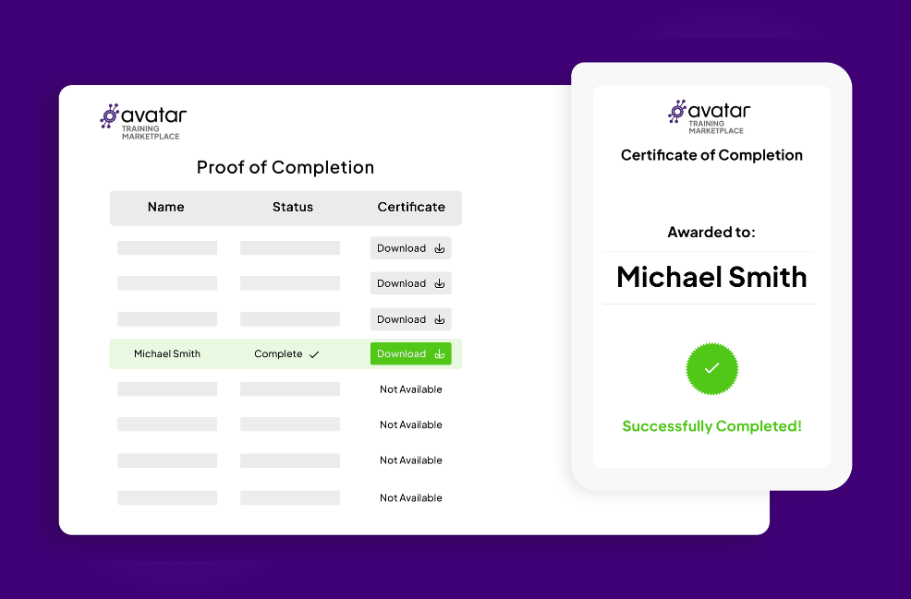
Certificates Stored on the Driver's Profile
As a driver completes courses within a learning path, Luma generates the completion certificate and sends it to DriverHub, where it's stored on the driver's record (DQF) right alongside their compliance documentation.

Get your API username and password from Luma, then enter them under Settings → Configure Luma in DriverHub.

Enroll a driver into a learning path from the New Hire flow, their profile, or as a mass action in the team member browser.

If the driver doesn't already exist in Luma, DriverHub creates them. If they do, DriverHub matches them and enrolls them into the path.

Check progress anytime in the new Learning tab, and find completion certificates stored on the driver's record as courses wrap up.
Book a Personalized DriverHub Demo
Schedule your DriverHub demo to see how Avatar customers reached 100% compliance and cut cost per hire by more than 50%.
.webp?width=580&height=387&name=Avatar%20DriverHub%20Demo%20Driver%20Recruiting%20Software%20DOT%20Compliance%20Software%20Applicant%20Tracking%20System%20(1).webp)