/Avatar-MainMark-FullColor-400px.png)


Integrations / HireRight
Order HireRight Background Checks from DriverHub
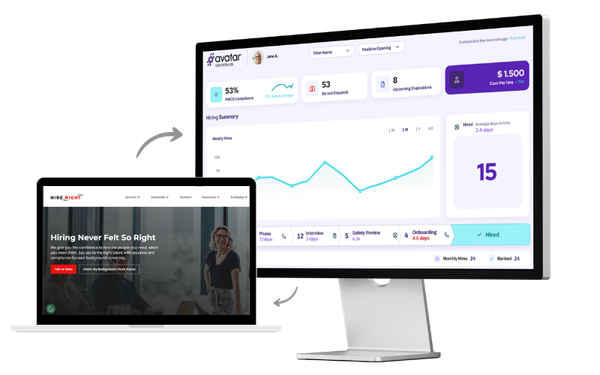
Stop logging into two systems to screen a driver. By connecting HireRight and DriverHub, your team can order background checks, collect consent, and file results to the DQ automatically.
 One-Click Background Check Ordering
 Automatic DQ File Return
 Bulk Screening for Random Drug Testing
One-Click Background Check Ordering
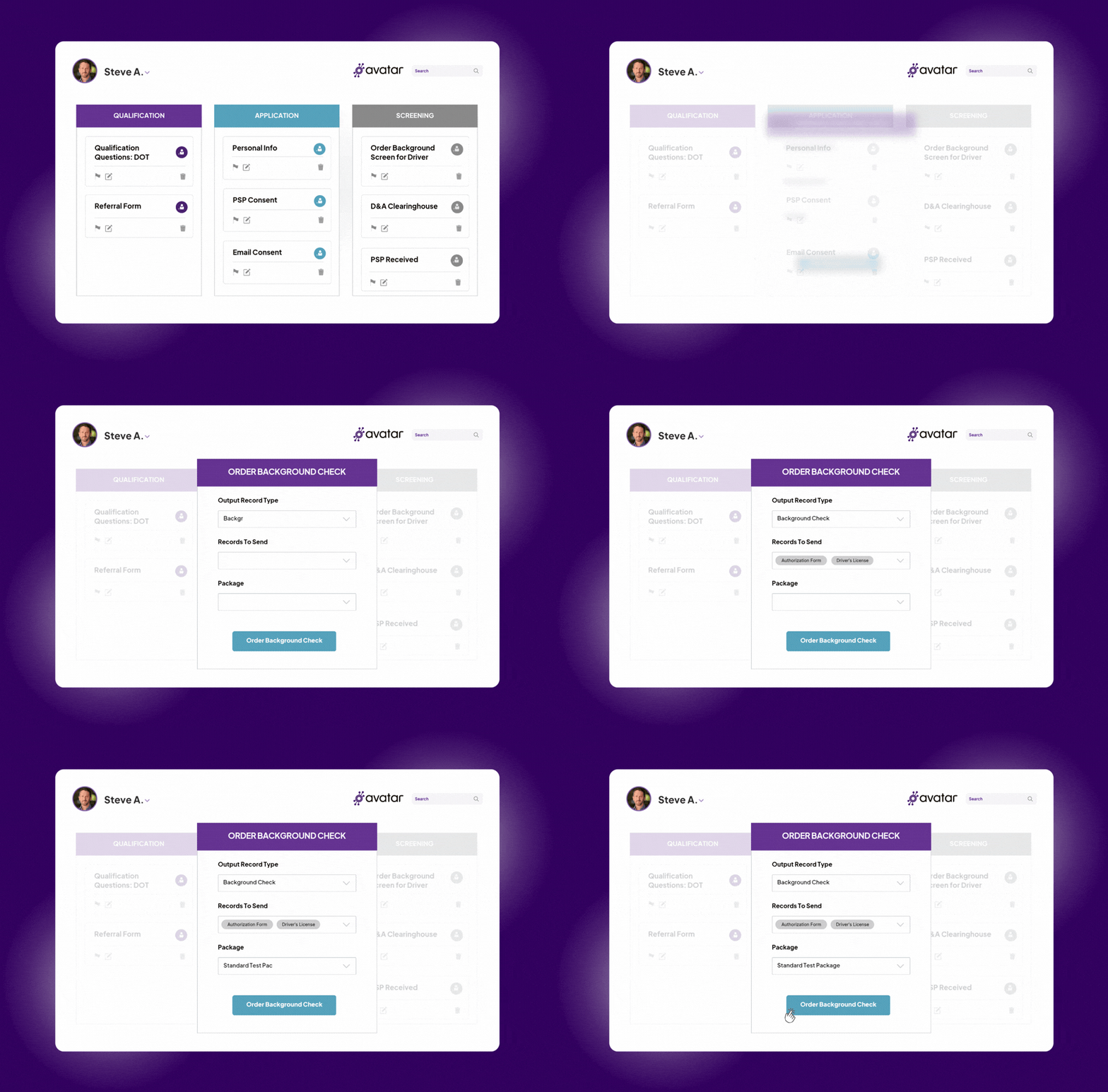
Order HireRight background checks directly from the Screening section, a driver's profile, or the bulk browser — without switching tabs or logging into a separate system.
- Place orders from anywhere inside DriverHub
- Electronic consent captured in the pre-hire workflow automatically
Automatic DQ File Return
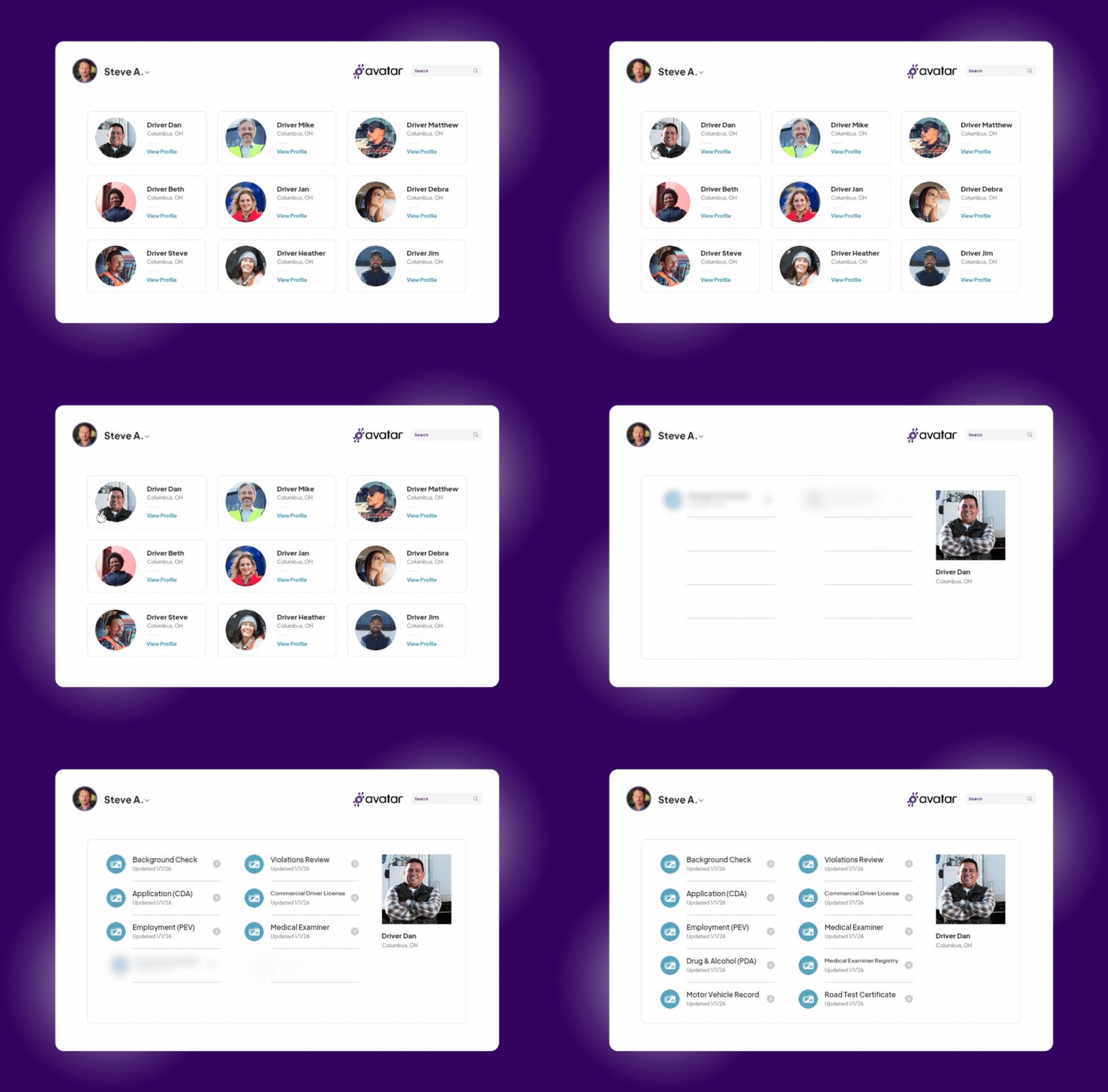
When HireRight completes a screening, the result PDF lands in the driver's electronic DQ file in DriverHub automatically. No downloading. No uploading. No one has to remember to do it.
- Results filed to the correct record type automatically
- DQ files stay complete and audit-ready without manual intervention
Bulk Screening for Random Drug Testing
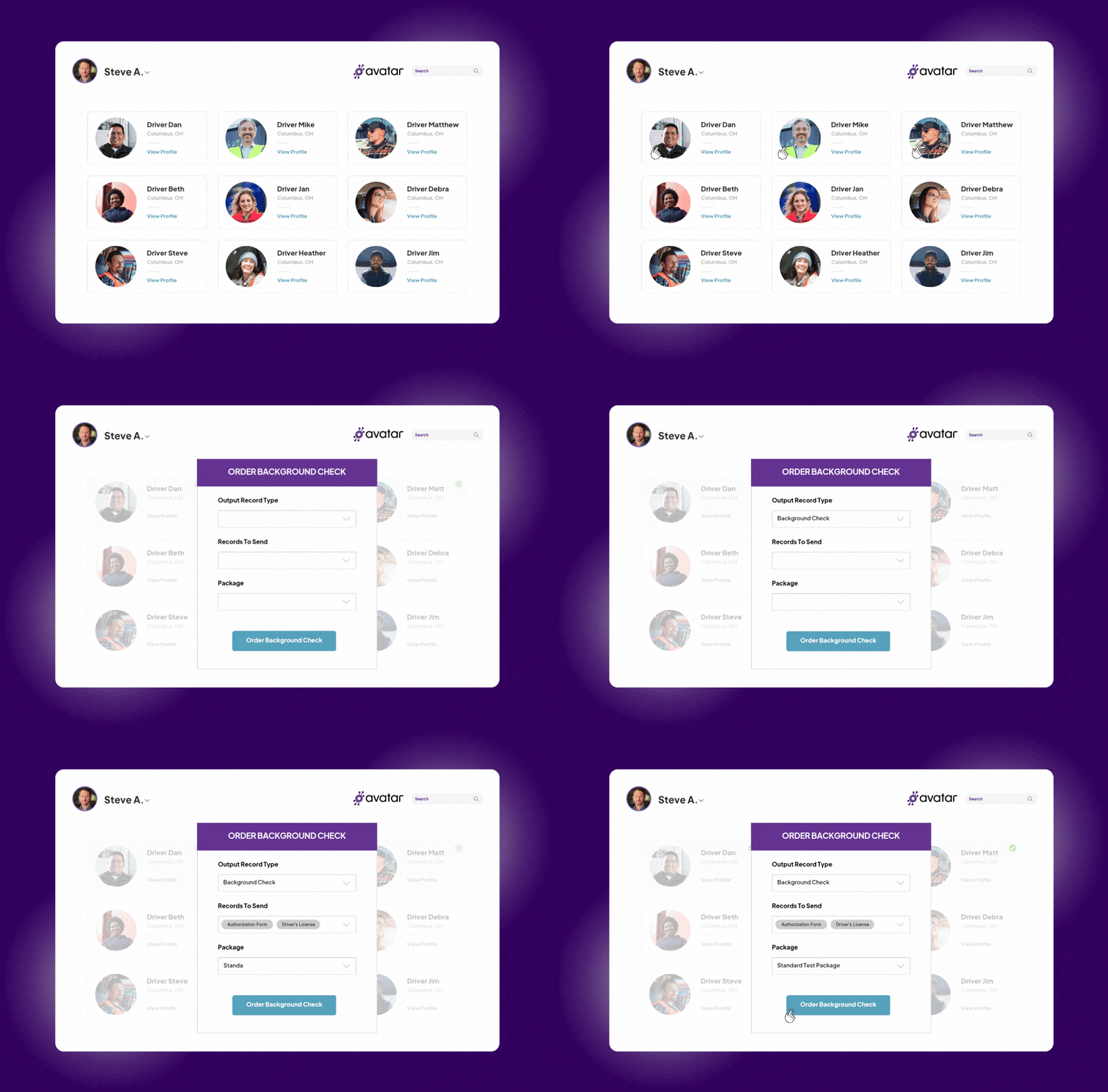
Select multiple drivers in the Candidates or Team Members browser and place all background check orders in a single action — critical for random drug testing and periodic re-screens.
- Order for multiple drivers simultaneously
- Full fleet-wide order tracking via the Background Check Browser

Candidate Consent
The HireRight release form is added to your pre-hire workflow by your Client Success Manager. Candidates review and e-sign it inside DriverHub during the application process.

Order Placement
Once consent is submitted, the recruiter clicks the HireRight widget in the Screening section and confirms a legal disclaimer. DriverHub submits the order directly to HireRight.

Automatic Result Delivery
When HireRight completes the screening, the PDF result is automatically returned to the driver's electronic DQ file in DriverHub under the configured record type.