/Avatar-MainMark-FullColor-400px.png)


Integrations / DriverIQ
Order Screenings from DriverIQ in DriverHub
Stop jumping between platforms to manage driver compliance. By connecting DriverIQ and DriverHub, your team can order MVRs, PSP reports and previous record of employment verifications in DriverHub.

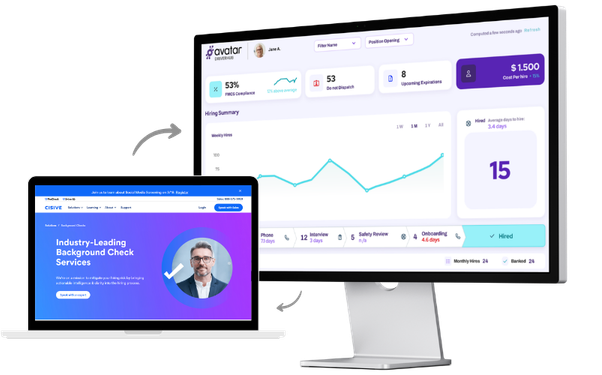
 Streamlined Screening Workflow
 Centralized Driver Record
 PRE Database Access
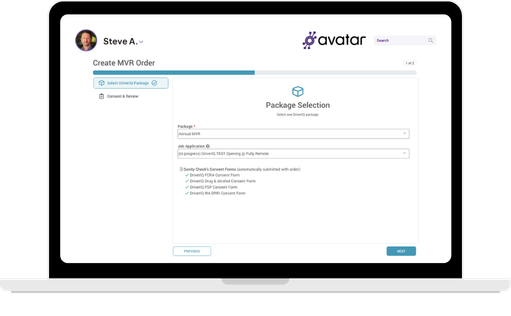
Streamlined Screening Workflow
Order MVRs, PSP reports, and employment history verifications directly from DriverHub. No need to log into DriverIQ separately.
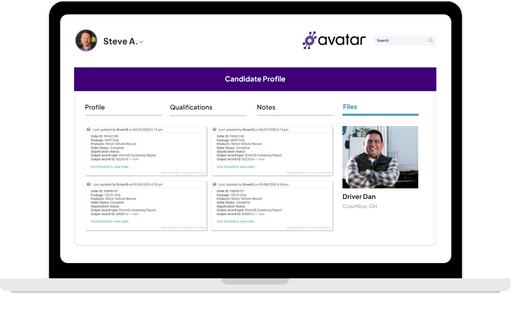
Centralized Driver Record
All screening results are attached to the driver's profile in DriverHub, giving recruiters and compliance managers a single source of truth.
PRE Database Access
Instantly surface a driver’s employment history, accident records and undisclosed gags without making a single phone call or sending faxes.

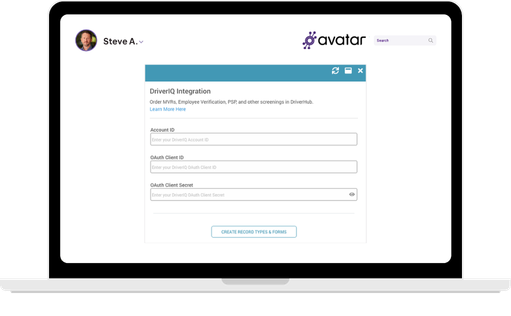
Log into your DriverHub account and navigate to the Integrations settings.

Enter your DriverIQ API credentials to authorize the connection between platforms.

Once connected, open any driver profile in DriverHub and select "Order Screening" to begin.

Choose the screening type — MVR, PSP, PRE verification, or other available reports — and submit directly through DriverHub.
Book a Personalized DriverHub Demo
Schedule your Avatar DriverHub demo to get 100% compliant and cut cost-per-hire by 50%.
.webp?width=580&height=387&name=Avatar%20DriverHub%20Demo%20Driver%20Recruiting%20Software%20DOT%20Compliance%20Software%20Applicant%20Tracking%20System%20(1).webp)